


Wired vs Wireless CCTV Camera: Which is Better for Bangalore Properties? Wired vs Wireless CCTV Camera: Which is Better for Bangalore Properties? Summary Factor Wired CCTV Wireless CCTV Reliability Excellent Good Video Stability Excellent Depends on WiFi Internet Dependency No Usually Yes Cyber Security Lower Risk Higher Risk Installation Speed Slower Faster Installation Cost Higher Initially Lower Initially Long-Term Maintenance Lower Higher Large Properties Best Choice Limited Apartments Good Excellent Villas Best Choice Good Businesses Best Choice Limited Use Industries Strongly Recommended Not Recommended Bangalore Weather Suitability Excellent Moderate Yendra Recommendation: For most Bangalore homes, villas, offices, warehouses, and industries, wired CCTV remains the most reliable long-term security solution. 1. Introduction Before investing in a surveillance system, one question confuses most property owners in Bangalore: Should you choose a wired CCTV system or a wireless CCTV system? While wireless cameras appear modern and convenient, wired systems continue to dominate professional security installations across homes, offices, warehouses, factories, and commercial buildings. The reality is that neither option is universally better. The right choice depends on your property type, internet reliability, security requirements, and long-term maintenance expectations. In this detailed comparison, we explain wired vs wireless CCTV from a practical Bangalore perspective, helping homeowners, apartment residents, businesses, and industrial facilities choose the right surveillance architecture. 2.Understanding Wired vs Wireless CCTV Before comparing performance, it is important to understand what these systems actually mean. What is a Wired CCTV Camera? A wired CCTV camera transmits video data through physical cables connected to an NVR (Network Video Recorder) or DVR (Digital Video Recorder). Typical components include: CCTV camera Ethernet cable or coaxial cable NVR/DVR Power supply Local storage The video recording continues even when internet connectivity is unavailable. What is a Wireless CCTV Camera? A wireless CCTV camera transmits video using WiFi instead of a network cable. Most wireless systems include: WiFi-enabled camera Router connection Mobile application Cloud storage or SD card Many homeowners incorrectly assume wireless cameras require no wiring. In reality, most wireless cameras still require power cables unless they are battery-operated models. 3. Wired vs Wireless CCTV: Speed and Video Performance Video transmission quality directly affects security effectiveness. Wired CCTV Performance Wired systems provide: Consistent video transmission Minimal latency Stable 24/7 recording Better support for multiple cameras Reliable 4MP, 5MP, 8MP, and 4K video streams Since data travels through dedicated cables, there is no network congestion from smartphones, laptops, or smart devices. Yendra Insight For villas, commercial buildings, warehouses, and industrial sites, wired systems maintain recording quality even when dozens of cameras operate simultaneously. 4. Wireless CCTV Performance Wireless cameras depend on: WiFi signal strength Router quality Network congestion Distance from router Internet bandwidth Performance issues commonly include: Video lag Frame drops Delayed notifications Temporary disconnections In apartments with strong WiFi coverage, these limitations may be manageable. In larger properties, they become significant. Winner: Wired CCTV 5.Wired vs Wireless CCTV: Stability and Reliability When discussing wired vs wireless CCTV, reliability is often more important than convenience. Wired CCTV Stability A properly installed wired CCTV system can operate continuously for years. Benefits include: No WiFi interference Stable recording Lower downtime Better support for multiple cameras Consistent remote access Professional security consultants generally prioritize reliability over installation convenience. Wireless CCTV Stability Wireless systems are affected by: WiFi outages Router failures ISP disruptions Signal interference Device congestion A camera losing connection for even a few minutes can create critical security blind spots. Yendra Insight Many emergency troubleshooting requests involve wireless cameras disconnecting from WiFi after router changes, firmware updates, or power fluctuations. Winner: Wired CCTV 6.Wired vs Wireless CCTV: Internet Dependency This is one of the biggest differences. Wired CCTV Systems A wired CCTV system can function completely offline. Features continue operating: Recording Playback Motion detection Local monitoring Internet is required only for remote viewing. This makes wired CCTV ideal for locations with occasional broadband disruptions. Wireless CCTV Systems Wireless cameras often depend heavily on internet connectivity. Without internet: Cloud recording may stop Remote access may fail Mobile notifications may stop AI features may be limited While some models support local recording, most users purchase wireless systems specifically for cloud-based monitoring. Winner: Wired CCTV 7.Wired vs Wireless CCTV: Cyber Security Risks Cybersecurity is becoming a major concern for CCTV users. For a deeper understanding of AI surveillance security risks, readers should also explore our article on AI CCTV Cameras for Cybersecurity for a Safer 2025. Wired CCTV Cyber Risk Wired systems are generally safer because: They can operate on isolated networks They do not constantly broadcast wireless signals They have fewer exposed attack surfaces Internet access can be restricted Many professional installations use dedicated surveillance networks. Wireless CCTV Cyber Risk Wireless cameras introduce additional risks: WiFi hacking attempts Weak password attacks Cloud vulnerabilities Router compromises Unauthorized access This does not mean wireless cameras are unsafe, but they require stronger cybersecurity practices. Pro Tip Always choose surveillance products that comply with relevant security and quality standards. Businesses and government projects should evaluate systems that meet requirements discussed in the STQC CCTV compliance guide. Winner: Wired CCTV 8. Wired vs Wireless CCTV: Installation Cost Many buyers focus only on initial pricing. However, true ownership cost extends beyond installation day. Wired CCTV Installation Cost Costs include: Cabling Conduits Labor NVR/DVR setup Power distribution Initial investment is usually higher. However, operating costs remain relatively low. Wireless CCTV Installation Cost Advantages include: Faster deployment Less cabling Lower labor requirements Easier installation in finished homes For apartments and rental properties, wireless systems can be cost-effective. Yendra Insight Wireless CCTV appears cheaper initially, but replacement batteries, cloud subscriptions, WiFi upgrades, and troubleshooting costs often reduce the savings over time. Winner: Wireless CCTV (Initial Cost) 9.Wired vs Wireless CCTV: Maintenance Requirements Wired CCTV Maintenance Typical maintenance includes: Lens cleaning Health checks Storage verification Firmware updates Network-related issues are generally less frequent. Wireless CCTV Maintenance Additional maintenance may involve: Router troubleshooting Signal optimization Reconnection procedures Battery replacement Cloud account management Wireless systems typically require more user involvement. Winner: Wired CCTV 10. Wired
Best CCTV Camera for Home in Bangalore: Complete 2026 Buyer Guide
Best CCTV Cameras for Home Security in India Best CCTV Camera for Home in Bangalore: Complete 2026 Buyer Guide Quick Summary for Busy Homeowners Search for best CCTV camera for home in Bangalore is high due to high-density living + delivery-based entry risks Apartments, villas, and independent houses require different camera setups Wired CCTV is more stable; wireless is more flexible but depends on WiFi STQC-certified CCTV systems ensure higher reliability and compliance-grade quality AI CCTV can detect humans, vehicles, and reduce false alerts 4K CCTV is useful for identifying faces and number plates clearly Outdoor cameras matter more than indoor ones for real security Trusted brands include CP Plus, Hikvision, Dahua, and Prama Installation quality matters more than brand in most cases CCTV cost in Bangalore varies based on home size and system design Proper installation + positioning = 70% of security effectiveness Not sure which CCTV setup is right for your home in Bangalore?Get a quick expert recommendation based on your apartment, villa, or independent house layout.WhatsApp for Free Basic Guidance Introduction Home security in Bangalore has changed dramatically over the last few years. With rapid urban expansion, rising apartment living, increasing villa communities, and mixed-density neighbourhoods, the need for reliable surveillance is no longer optional—it is foundational. Hence it is important for every person who is looking for home security to know which is the best CCTV Camera for Home in Bangalore. However here is the real challenge most homeowners face: Too many CCTV brands Confusing technical specifications Unclear pricing in Bangalore market Installation quality differences Lack of guidance on what actually matters for your home type This guide simplifies everything. Whether you live in an apartment in Whitefield, a villa in Sarjapur, or an independent house in North Bangalore, this page will help you choose the best CCTV camera for home in Bangalore based on real security needs—not marketing noise. 1. Why Homeowners Look For Best CCTV Camera For Home In Bangalore The best CCTV camera for home in Bangalore helps protect against unauthorized entry, package theft, parking incidents, and blind spots. Bangalore homes face unique risks due to apartment living, villa communities, delivery traffic, and rapid urban expansion. Modern CCTV systems provide: Real-time mobile monitoring AI-based alerts Night surveillance Evidence recording Bangalore is a unique security environment because it combines: High-rise apartments Independent gated villas Dense residential layouts Heavy delivery traffic (Swiggy, Amazon, Blinkit, etc.) Frequent tenant movement in rental zones This creates multiple entry points for risk. Common real-world risks in Bangalore homes for which the residents constantly research for CCTV brands & surveillance cameras to decide on which is the best CCTV camera for home in Bangalore: Unverified visitor entry in apartments Package theft from doorsteps Parking area mismanagement or vehicle scratches Boundary wall trespassing in villas Domestic help monitoring requirements Night-time blind spots in independent houses A properly designed system acts as: A preventive deterrent A real-time monitoring tool A post-incident evidence system In Bangalore conditions, CCTV is not just about recording—it is about visibility control across your property. For More Details read our article where AI home security systems explained .:Best CCTV Cameras for Home Security in India 2. Best CCTV Camera For Home in Bangalore- Apartment vs Villa vs Independent House Risks Choosing the best CCTV camera for home in Bangalore depends on the property type. Different homes require different security designs: Apartments → entry door + parking monitoring Villas → perimeter + gate surveillance Independent houses → multi-entry protection Proper camera placement is more important than simply increasing camera quantity. Security design changes completely based on property type and so does the best CCTV camera for home in Bangalore Apartments (High-density living) Key risks: Common corridor movement Lift lobby access Basement parking incidents Unknown visitor entry Recommended setup: Doorbell camera or indoor entry camera Corridor-facing camera (if permitted) Parking surveillance (shared system if RWA allows) Villas (Gated or semi-gated) Key risks: Boundary wall intrusion Garden or backyard access Service gate monitoring Recommended setup: 4–8 outdoor perimeter cameras Gate camera with clear face capture Night vision cameras for boundary walls Independent Houses Key risks: No society-level security backup Multiple entry points (front, back, side) Street-level exposure Recommended setup: 4–6 outdoor cameras minimum Coverage of all entry points One indoor central monitoring point Read our articles to get more practical insight on camera installation design, planning and deployment in villas and apartments in Bangalore: luxury home surveillance camera in Indiranagar 3. Wired vs Wireless CCTV- which is best CCTV camera for home in Bangalore The best CCTV camera for home in Bangalore is usually a wired system for long-term reliability and stable recording. Wired CCTV advantages: Better signal stability Lower downtime Reliable 24/7 recording Wireless CCTV advantages: Easier installation Flexible setup Suitable for rental homes For Bangalore homes, wired CCTV is generally preferred for villas and independent houses. This is one of the most misunderstood topics. Most of the time homeowners are biased to choose wireless CCTV system as the best CCTV camera for home in Bangalore. Both have separate applications. Lets understand. Wired CCTV (Recommended for most Bangalore homes) Pros: Stable recording (no WiFi dependency) Better long-term reliability Less hacking risk Works during network fluctuations Cons: Installation effort is higher Requires proper cabling planning Wireless CCTV Pros: Easy installation Flexible placement Good for rented homes Cons: Depends heavily on WiFi strength Can have lag or disconnections Higher maintenance in weak network zones Practical recommendation: Permanent home → Wired CCTV Rental / temporary setup → Wireless CCTV For Bangalore conditions (walls, interference, dense networks), wired systems are still the industry standard. Further Insight From our articles: STQC-Certified Wireless CCTV Camera for Home in Bangalore 2025: Complete Buyer’s & Installation Guide 10 Best Wireless CCTV Cameras in India (2025 Expert Buyer’s Guide) 4. Importance of STQC Certified CCTV camera for Bangalore Homes-STQC certified CCTV meaning The best CCTV camera for home in Bangalore should ideally use reliable, standards-driven hardware such as STQC-certified systems. STQC certification indicates: Better hardware quality
Best Outdoor Surveillance Cameras for Bangalore Homes: Why Prama Outperforms Other CCTV Brands
Best Outdoor Surveillance cameras for bangalore Honmes: Prama Ouperforms other CCTV brands Best Outdoor Surveillance Cameras for Bangalore Homes: Why Prama Outperforms Other CCTV Brands What is CCTV installation in Bangalore? CCTV installation in Bangalore is the process of designing, selecting, and installing surveillance cameras with proper networking, storage, and monitoring systems. A professional installation ensures clear video footage, reliable performance, and compliance with government standards like STQC certification. Summary Outdoor surveillance cameras must be selected based on Bangalore weather, lighting conditions, and property layout. Cheap CCTV systems often fail in outdoor environments due to poor weatherproofing and weak night vision. Prama cameras offer better AI detection, image clarity, durability, and long-term reliability. Professional installation matters as much as the camera brand. Villas, apartments, and independent homes require different surveillance strategies. AI-enabled outdoor cameras reduce false alerts and improve real-time security response. Proper outdoor surveillance planning can later scale into factory, warehouse, and industrial security systems. 1. Introduction: Why To Compare Between CP Plus vs Prama CCTV? CP Plus vs Prama CCTV comparison helps buyers choose the right security camera system based on performance, durability, and surveillance intelligence. While CP Plus is popular for budget CCTV setups, Prama offers advanced AI-powered video surveillance systems ideal for homes, offices, and factories in Bangalore. Outdoor security is no longer optional for Bangalore homes. Whether you live in a villa in Sarjapur Road, an apartment in Whitefield, or an independent house in North Bangalore, the demand for reliable outdoor surveillance cameras has increased rapidly in recent years. From vehicle theft and parcel theft to unauthorized access and perimeter monitoring, homeowners now expect more than just basic recording. They want smarter detection, reliable night visibility, weather-resistant performance, mobile monitoring, and professional installation support. However, one major challenge remains:Most homeowners choose CCTV systems based only on price. That often leads to: poor night footage camera failures during rain storage issues false motion alerts unreliable mobile access poor installation quality lack of long-term support This is where professional-grade surveillance brands like Prama stand apart. In this guide, we explain why Prama outdoor surveillance cameras are becoming the preferred choice for Bangalore homeowners — and how professional CCTV planning by Yendra helps create long-term security instead of temporary fixes. 2.Why Outdoor Surveillance Cameras Matter More in Bangalore? Why To Compare Between CP Plus vs Prama CCTV? CP Plus vs Prama CCTV comparison helps buyers choose the right security camera system based on performance, durability, and surveillance intelligence. While CP Plus is popular for budget CCTV setups, Prama offers advanced AI-powered video surveillance systems ideal for homes, offices, and factories in Bangalore. Bangalore has seen rapid expansion in: gated communities villa developments peripheral residential layouts independent houses under-construction residential zones Many areas experience: low-lit streets isolated parking zones limited security manpower blind spots around properties As a result, homeowners are increasingly searching for: best outdoor security cameras security cameras for outside home house surveillance cameras home security camera system AI CCTV for villas Modern outdoor surveillance cameras are now expected to provide: 24/7 monitoring clear night vision AI motion detection mobile app alerts perimeter protection remote access For Bangalore homes, outdoor surveillance is often the first and most important security layer. 3. Common Problems with Cheap Outdoor CCTV Systems What is CP Plus vs Prama CCTV? CP Plus is known for affordable entry-level CCTV systems, while Prama focuses on enterprise-grade surveillance solutions with AI-powered monitoring, better reliability, and industrial security applications. Prama is often preferred for long-term security infrastructure in India. Many homeowners initially choose low-cost cameras from local resellers or online marketplaces. While the upfront pricing may appear attractive, the long-term performance is usually disappointing 1. Poor Night Vision Performance Outdoor areas in Bangalore often have uneven lighting. Cheap cameras struggle with: glare from vehicle headlights overexposed entrances dark perimeter walls low-light parking areas This results in unclear footage exactly when incidents happen. 2. Weak Weather Resistance Outdoor cameras face: heavy monsoon rain dust accumulation humidity heat exposure Low-quality cameras may fail within months due to: water seepage fogged lenses overheating cable damage Professional-grade outdoor surveillance cameras must have proper IP-rated weather protection. 3. Frequent False Alerts Traditional motion detection triggers alerts for: moving trees animals rain movement light changes This creates alert fatigue, causing homeowners to ignore notifications. Modern AI-enabled surveillance systems reduce false alarms significantly. 4. Low Image Clarity Many low-cost systems still use outdated resolutions. In real incidents, homeowners discover: faces are unclear vehicle numbers are unreadable footage becomes pixelated during zoom High-resolution AI cameras provide far better evidence quality 5. No Proper Surveillance Planning A major issue is improper camera placement. Common mistakes include: blind spots near gates poor angle coverage incorrect height insufficient perimeter visibility A good CCTV system is not just about cameras — it is about surveillance architecture. 4.Why Prama Outdoor Surveillance Cameras Perform Better What is CP Plus vs Prama CCTV? CP Plus is known for affordable entry-level CCTV systems, while Prama focuses on enterprise-grade surveillance solutions with AI-powered monitoring, better reliability, and industrial security applications. Prama is often preferred for long-term security infrastructure in India. Prama has emerged as a strong professional surveillance brand for residential and commercial applications across India. For Bangalore homeowners, Prama offers a balance of: image quality AI features durability reliability professional ecosystem support Here’s why Prama stands out. 1. Better AI Detection for Real Outdoor Security Modern Prama outdoor surveillance cameras support AI-powered analytics such as: human detection vehicle detection intrusion alerts perimeter protection This helps reduce unnecessary alerts while improving real-time monitoring. For villas and independent homes, AI analytics become especially valuable during night hours. 2. Superior Night Vision Quality Outdoor incidents often happen in low-light conditions. Prama cameras offer: enhanced infrared visibility color night vision options wide dynamic range improved low-light imaging This ensures better facial visibility and vehicle identification. 3. Weather-Ready for Bangalore Conditions Prama outdoor cameras are designed for harsh outdoor conditions with: IP-rated weatherproofing durable housing heat resistance stable outdoor operation This is critical for long-term reliability
Prama Camera Installation in Bangalore: 7 Powerful Reasons Yendra is the Trusted Authorized Partner
Prama Camera Installation in Bangalore: 7 Powerful Reasons Yendra is the Trusted Authorized Partner Prama Camera Installation in Bangalore: 7 Powerful Reasons Yendra is the Trusted Authorized Partner Prama Camera Installation in Bangalore by Yendra ensures certified, high-performance CCTV deployment with accurate camera placement, AI-enabled security configuration, and reliable structured cabling. As an authorized Prama installation partner, Yendra delivers genuine equipment, valid warranty protection, and expert installation that maximizes surveillance coverage, reduces blind spots, and improves long-term security for homes and businesses. Summary Prama Camera Installation in Bangalore is more than buying CCTV cameras—it requires proper surveillance planning, correct camera placement, and long-term system design. Poor installation often leads to blind spots, weak recording quality, warranty issues, and expensive rework, even when good cameras are used. Prama India is trusted for enterprise-grade CCTV surveillance cameras, outdoor durability, AI-enabled monitoring, and reliable performance for Indian conditions. Yendra Techno Solution works as an authorized Prama installation partner, providing genuine products, certified deployment, OEM-backed support, and structured warranty handling. Certified engineers focus on surveillance architecture, including risk assessment, lens selection, storage planning, remote access, and compliance documentation—not just camera mounting. Industrial CCTV installation for factories and warehouses requires perimeter monitoring, loading bay surveillance, worker safety tracking, audit trails, and operational visibility. Authorized installation protects warranty validity, AMC continuity, firmware support, and faster product replacement compared to grey market CCTV purchases. 1. Introduction: In Bangalore, buying CCTV cameras is easy. Building a reliable, compliant, and future-ready surveillance system is not. Many homeowners, apartment associations, office managers, factory owners, and warehouse operators invest in cameras first and think about installation later. This often leads to poor coverage, blind spots, warranty issues, weak storage planning, and expensive rework. That is why Prama Camera Installation in Bangalore should never be treated as a simple product purchase. It should be approached as a security design decision. This is where Prama Camera Installation in Bangalore by an authorized partner like Yendra becomes critical. With certified processes, precision engineering, and deep domain expertise, Yendra ensures your security system is not just installed—but optimized for real-world protection. At Yendra Techno Solution, we focus on CCTV architecture—not just camera installation. As an authorized Prama installation partner, we help clients choose the right surveillance layout, deploy genuine products, ensure warranty protection, and build systems that support safety, operations, and audit readiness. Whether the requirement is for a home, apartment, office, factory, warehouse, or industrial facility, the goal remains the same: strong surveillance that works when it matters most. 2. Why Prama Camera Installation Matters More Than Just Buying CCTV Cameras Prama Camera Installation in Bangalore matters more than simply buying CCTV cameras because security depends on proper camera placement, blind spot coverage, storage planning, and system design. A professionally installed video surveillance system improves safety, compliance, and long-term reliability. A CCTV camera alone does not create security. The real value comes from how the system is planned, installed, and maintained. Wrong camera angles, poor cable routing, weak storage planning, and improper remote access setup can make even expensive systems ineffective. This is where professional Prama Camera Installation in Bangalore becomes critical. A properly designed video surveillance system helps with: Entry and exit monitoring Blind spot elimination Visitor tracking Employee safety Theft prevention Incident verification Audit documentation Compliance support Many low-cost installers focus only on mounting cameras. They do not assess risk zones, compliance needs, or future expansion requirements. If you want to understand why engineered deployment matters, read our detailed guide on Prama CCTV installation and professional setup strategy. 3. Why Bangalore Businesses Prefer Prama Camera for CCTV Surveillance Systems Businesses prefer Prama camera solutions because they offer reliable CCTV surveillance cameras, AI-enabled monitoring, strong outdoor durability, and enterprise-grade video surveillance systems designed for Indian conditions. Prama is widely trusted for residential, commercial, and industrial security needs. Prama India has become one of the most trusted names in enterprise surveillance across India. Prama CCTV systems are designed for modern surveillance environments where basic recording is not enough. Key advantages include: AI-powered motion detection and smart alerts High-definition clarity in low-light conditions Stable performance in large-scale deployments Smart storage optimization (DVR/NVR efficiency) Scalable architecture for businesses of all sizes However, these advantages are only fully realized when installed correctly by a certified Prama installation partner. From residential communities to factories and commercial campuses, Prama is known for reliable performance, strong product quality, and solutions built for Indian operating conditions. Businesses prefer Prama because it offers: IP cameras and PTZ cameras Dome, bullet, and turret cameras DVR and NVR solutions AI-enabled analytics Night vision and outdoor surveillance Remote monitoring capability Industrial-grade surveillance options For Bangalore businesses, reliability matters more than low upfront cost. Downtime, false security, and unsupported products create bigger losses later. This is why many decision-makers choose professional Prama Camera Installation in Bangalore over generic local alternatives. 4. Industrial CCTV Installation Needs More Than Standard Security Cameras Industrial CCTV installation requires more than standard cameras because factories and warehouses need perimeter security, loading bay monitoring, worker safety tracking, audit trails, and compliance support. Professional surveillance planning improves both security and operations. Factories and warehouses cannot depend on basic home-style surveillance systems. Industrial security requires stronger planning because the risk is higher and operations are more complex. Industrial environments need: perimeter monitoring material movement tracking loading bay surveillance employee safety monitoring unauthorized access prevention incident documentation shift operation visibility production area accountability This is why industrial Prama Camera Installation in Bangalore must be designed differently. Factories require audit-ready surveillance—not simple recording. For businesses planning larger deployments, our industrial CCTV installation guide explains how surveillance supports both operations and compliance. 5. Why Choosing an Authorized Prama Installation Partner Matters in Bangalore Not all CCTV installations deliver the same results—even with identical hardware. Choosing an authorized Prama Installation partner in Bangalore ensures: Genuine Prama equipment with verified sourcing Valid manufacturer warranty protection Compliance with installation standards Access to official firmware updates Priority technical support from the ecosystem Unauthorized installations often lead to performance issues, void warranties,
Prama CCTV Installation in Bangalore: Why Professional Setup Matters
CP Plus vs Prama CCTV: 11 Key Differences That Decide the Best Security Camera in Bangalore (2026 Expert Guide) Prama CCTV Installation in Bangalore: Why Professional Setup Matters Why CCTV Installation Quality Matters CCTV installation quality determines how effectively a surveillance system captures, stores, and transmits footage. Even high-end cameras like PRAMA can fail if installed incorrectly due to poor wiring, wrong placement, or unstable network configuration. Professional installation ensures maximum uptime, clear video quality, and reliable security coverage Summary Prama CCTV installation in Bangalore matters more than just buying cameras because system design decides real security performance. Proper placement, lens selection, cabling, storage planning, and compliance create reliable surveillance—not megapixels alone. STQC-certified Prama CCTV systems help businesses meet Government of India security standards, improve cybersecurity, and ensure legal deployment for offices, apartments, factories, and institutions. Professional installation prevents common failures like blind spots, poor video quality, unstable recording, and remote access issues. Most CCTV problems happen because of installation mistakes, not camera failure. A proper setup includes site survey, risk mapping, structured cabling, camera positioning, NVR/DVR planning, and secure remote monitoring for long-term performance. Businesses choose Prama CCTV installation in Bangalore because it offers enterprise-grade reliability, compliance-focused deployment, and stronger after-sales support compared to low-cost alternatives. Yendra positions this as a complete security architecture approach—design first, install once, and ensure dependable protection for years instead of basic camera monitoring. 1. Introduction: In modern security environments, prama cctv installation plays a critical role in determining how effectively a surveillance system performs. Whether it is a residential apartment, corporate office, or industrial facility, installation quality directly impacts uptime, video clarity, and long-term reliability. Many businesses assume that buying high-quality cameras is enough. However, even advanced systems from PRAMA can fail if prama cctv installation is not done professionally with proper wiring, planning, and configuration. This guide explains why installation expertise matters, how structured deployment works, and why companies in Bangalore rely on professional security partners. 2. Why Businesses Choose Prama CCTV Installation? Why businesses choose Prama CCTV installation over other brands? Businesses trust Prama CCTV installation because it combines certified hardware, professional setup standards, and strong after-installation support. Unlike low-cost alternatives, Prama focuses on security performance, compliance readiness, and long-term protection for high-risk commercial environments. When choosing a surveillance brand, trust matters. Prama CCTV installation in Bangalore is preferred by many businesses because Prama has built strong authority in India’s professional security market. Prama is recognized as a security solutions provider focused on enterprise surveillance, compliance-driven deployments, and Made-in-India security infrastructure. 1. STQC-Aligned Security Solutions Prama products are aligned with India’s compliance requirements, including STQC and Essential Requirements (ER-01). This makes them suitable for: Government surveillance projects Smart city deployments Industrial monitoring systems Commercial and institutional security infrastructure This gives buyers more confidence compared to uncertified alternatives. 2. Enterprise-Level Product Ecosystem Prama offers complete surveillance solutions including: IP cameras PTZ cameras Dome and bullet cameras NVR and DVR systems AI-enabled surveillance solutions Access control and integrated security platforms This makes Prama suitable for both small businesses and large enterprise environments. 3. Reliability in High-Security Installations Prama systems are commonly used in: Residential apartment complexes Manufacturing units Warehouses and logistics hubs Educational institutions Corporate offices and industrial campuses Its reputation comes from stable performance, structured deployment support, and strong compliance alignment 4. Professional Installation Network A major reason behind successful Prama CCTV installation in Bangalore is access to experienced authorized installation partners who understand compliance, system design, and post-installation service. This creates better outcomes compared to general installers who focus only on hardware fitting. For businesses looking for long-term surveillance value, Prama offers both product strength and deployment credibility. Further Reading: Detailed CP Plus vs Prama feature comparison Smart security with Prama CCTV CCTV buying decision for Bangalore businesses best CCTV for home security in Bangalore 3. Why Prama CCTV Installation Matters More Than Cameras Why choosing authorised CCTV Integrator is more important than the bramd of the camera? Buying a good camera is only the first step—professional Prama CCTV installation determines how effective the system will be. Proper installation prevents blind spots, storage failures, network issues, and poor image quality, ensuring better protection for businesses and homes A successful surveillance system depends on execution, not just hardware. Many buyers think: “I bought a good camera, so security is solved.” That assumption creates major failures. In reality, surveillance success depends on: Camera placement Network stability Power backup Cable quality Recording configuration NVR optimization Storage planning Remote access security Compliance alignment Maintenance planning A poorly installed premium system performs worse than a properly installed mid-range system. Poor prama cctv installation often leads to: blind spots in critical areas unstable recording or missing footage poor night vision performance network downtime storage failure issues delayed remote access Even premium CCTV systems cannot compensate for installation errors. A properly executed prama cctv installation ensures full coverage, stable connectivity, and uninterrupted monitoring across all security zones. Professional surveillance camera installation ensures: Zero blind spots Clear facial recognition Stable remote viewing Reliable 24/7 recording Lower downtime Faster incident investigation Better compliance readiness This is where professional execution changes everything. 4.Compliance Matters in Prama CCTV Installation in Bangalore What is CCTV Compliance in Bangalore? CCTV compliance ensures surveillance systems meet legal, audit, and data retention requirements. Uptime is critical because system downtime can result in missed incidents, security breaches, and legal risks. Professional installation ensures continuous recording and compliance-ready security infrastructure. When planning Prama CCTV installation in Bangalore, compliance is not optional—it is a critical requirement for security, legal approval, and long-term system reliability. Many businesses, apartments, factories, and institutions now prefer surveillance systems that meet Government of India security standards. One of the most important compliance frameworks is STQC (Standardisation Testing and Quality Certification) under Ministry of Electronics and Information Technology (MeitY). STQC ensures that CCTV devices meet strict cybersecurity, firmware protection, and hardware safety standards. Systems that pass these checks are considered safer for commercial and regulated environments. In India, CCTV devices must also align with Essential

CP Plus vs Prama CCTV: 11 Key Differences That Decide the Best Security Camera in Bangalore (2026 Expert Guide)
2026 Expert Buying Guide CP Plus vs Prama CCTV: 11 Key Differences That Decide the Best Security Camera in Bangalore An expert, side-by-side comparison to help homes, offices, and factories in Bangalore choose the right surveillance system — not just the cheapest one. Written by Yendra Team 5 min read Updated Jun 2026 Compare CCTV Options for My Property Get Expert CCTV Recommendation The Simplest Expert Verdict CP Plus vs Prama CCTV — In 30 Seconds Budget Pick CP Plus CCTV Best suited for budget-conscious users who need basic surveillance coverage. Expert Pick Prama CCTV Designed for advanced security, AI-powered monitoring, and enterprise-grade reliability. Our Recommendation: For homes, apartments, offices, factories, and commercial spaces in Bangalore, Prama CCTV cameras installed by Yendra Techno Solution deliver better long-term security, smarter monitoring, and lower maintenance issues. 01 · Introduction Why CCTV Selection Matters More Than Ever in 2026 Security challenges in India have evolved significantly over the last decade. In Bangalore, surveillance is no longer just about recording footage — it’s about real-time intelligence, deterrence, and operational visibility. Modern CCTV systems are expected to: 01 Detect Suspicious Movement Automatically flags unusual activity instead of just recording it. 02 Remote Mobile Access Check live feeds and get alerts from anywhere, anytime. 03 Low-Light Night Vision Clear footage even in Bangalore’s dim streets and dark corners. 04 Heat, Dust & Monsoon Ready Stable performance through India’s toughest weather conditions. 05 Alarm & System Integration Works together with access control and alarm systems. Why To Compare Between CP Plus vs Prama CCTV? CP Plus vs Prama CCTV comparison helps buyers choose the right security camera system based on performance, durability, and surveillance intelligence. While CP Plus is popular for budget CCTV setups, Prama offers advanced AI-powered video surveillance systems ideal for homes, offices, and factories in Bangalore. 02 · Brand Overview Understanding CP Plus and Prama CCTV in India Mass-Market Brand CP Plus Overview Affordable pricing Easy availability Entry-level surveillance systems Basic DVR and IP camera setups Commonly used in small homes and retail shops. CP Plus systems are primarily designed for mass-market surveillance, not advanced security intelligence. See CP Plus products Enterprise-Grade Brand Prama CCTV Overview AI-powered surveillance systems Enterprise-grade CCTV infrastructure Industrial and commercial security deployments High-performance IP and PTZ camera systems Prama focuses on smart video surveillance ecosystems — ideal for smart homes, apartments, corporate offices, factories, and government projects. See Prama India products Swipe to compare CP Plus & Prama What is CP Plus vs Prama CCTV? CP Plus is known for affordable entry-level CCTV systems, while Prama focuses on enterprise-grade surveillance solutions with AI-powered monitoring, better reliability, and industrial security applications. Prama is often preferred for long-term security infrastructure in India. 03 · Technical Comparison CP Plus vs Prama CCTV: Side-by-Side The main difference: CP Plus offers basic surveillance for budget users, while Prama provides advanced image quality, better night vision, AI detection, stronger durability, and scalable video surveillance systems. Feature CP Plus CCTV Prama CCTV Recommended Image Quality Good for basic use High-definition AI-enhanced clarity Night Vision Standard IR Advanced low-light performance AI Features Limited Advanced motion & object detection Durability Moderate High industrial-grade durability Remote Monitoring Basic mobile app Advanced smart surveillance platform Scalability Limited Highly scalable enterprise systems Use Case Homes, small shops Homes, offices, factories, enterprises Scroll sideways to see full comparison Image Quality CP Plus Good for basic use Prama High-definition AI-enhanced clarity Night Vision CP Plus Standard IR Prama Advanced low-light performance AI Features CP Plus Limited Prama Advanced motion & object detection Durability CP Plus Moderate Prama High industrial-grade durability Remote Monitoring CP Plus Basic mobile app Prama Advanced smart surveillance platform Scalability CP Plus Limited Prama Highly scalable enterprise systems Use Case CP Plus Homes, small shops Prama Homes, offices, factories, enterprises AI FEATURES: AI capability is one of the clearest differentiators between the two brands. Prama focuses on intelligent analytics such as human and vehicle classification, intrusion detection, line crossing, and perimeter protection. CP Plus provides AI features on selected models, but the overall portfolio is broader on the Prama side. What is the main difference between CP Plus and Prama CCTV? The main difference between CP Plus and Prama CCTV is that CP Plus offers basic surveillance for budget users, while Prama provides advanced image quality, better night vision, AI detection, stronger durability, and scalable video surveillance systems for businesses and industrial use. 04 · The Prama Advantage Why Prama Leads in Video Surveillance Modern security is no longer passive recording — it’s intelligent monitoring. Here’s what sets Prama systems apart. AI-Based Motion Detection Prama differentiates between human movement, vehicle movement, and random motion like trees, animals, or lighting changes — reducing false alarms significantly. Smart Alerts in Real Time Users receive mobile alerts, email notifications, and event-based recordings the moment something needs attention. Better Video Analytics Supports heat mapping, intrusion detection, and zone-based alerts — a strong choice for businesses and homes in Bangalore. Swipe to explore all 3 advantages Why do Prama CCTV cameras lead in video surveillance? Prama CCTV leads in smart video surveillance because it supports AI-based motion detection, object recognition, intrusion alerts, and real-time monitoring. This reduces false alarms and improves security response for homes, offices, and factories in Bangalore. 05 · Use-Case Comparison CP Plus vs Prama, By Use Case Tap a category to see how each brand performs for that specific need. Home Security: Villas, Apartments & Gated Communities For home security in Bangalore, Prama CCTV is better than CP Plus because it offers clearer night vision, smart motion detection, remote mobile monitoring, and stronger outdoor performance. Prama Advantages Clear night vision even in low lighting Better motion detection accuracy Smart mobile alerts Stable long-term performance CP Plus CP Plus: suitable for basic recording, affordable installation, limited AI intelligence. Offices & Small Businesses Prama CCTV is better for offices and small businesses because it provides higher uptime, better employee monitoring, remote access control, and scalable surveillance systems. Prama Advantages Multi-camera synchronization Better
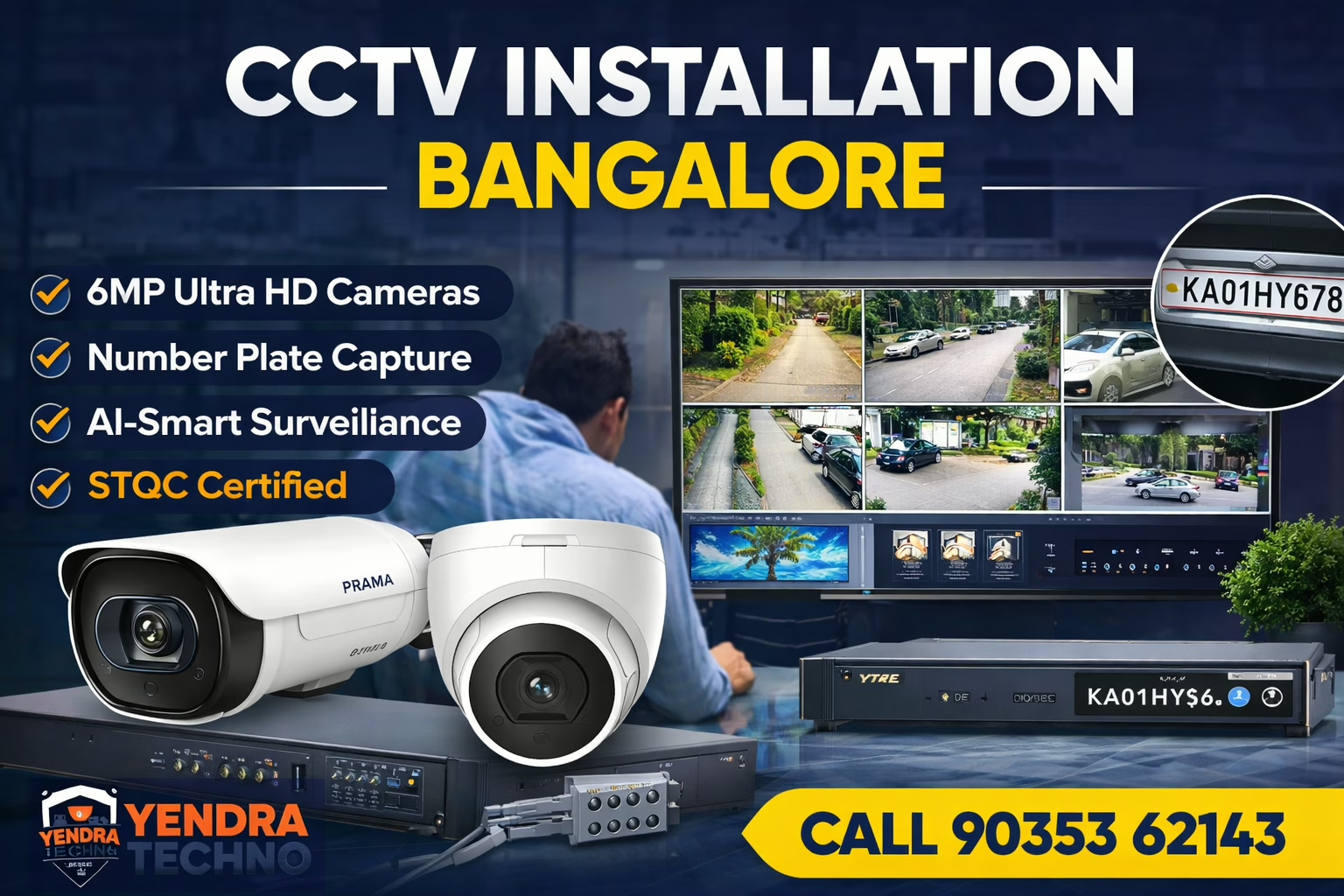
CCTV Installation Bangalore: Real 6MP AI Surveillance Project in Mathikere (Case Study 2026)
CCTV Installation Bangalore: Real Project (Case Study 2026) CCTV Installation Bangalore: Real 6MP AI Surveillance Project in Mathikere (Case Study 2026) What is CCTV installation in Bangalore? CCTV installation in Bangalore is the process of designing, selecting, and installing surveillance cameras with proper networking, storage, and monitoring systems. A professional installation ensures clear video footage, reliable performance, and compliance with government standards like STQC certification. Summary This is a real CCTV installation project in Mathikere, Bangalore 6MP IP cameras were used for high clarity STQC-certified cameras ensure compliance and reliability AI features enable smart surveillance Proper design and installation deliver real results Ideal for homes, apartments, and businesses Introduction: Why Most CCTV Installations Fail (And What This Project Proves) Why do most CCTV systems fail? Most CCTV systems fail due to poor system design, incorrect camera placement, low-quality hardware, and lack of compliance with standards. Without proper planning and professional installation, even expensive cameras may not deliver usable footage. When people search for CCTV installation Bangalore, they are not just looking for cameras—they are looking for reliable security, clear footage, and long-term performance. But here’s the reality:Most CCTV systems installed across Bangalore fail within months—not because of hardware failure, but because of: Poor system design Wrong camera selection No compliance with government standards Unprofessional installation practices This case study by Yendra Techno Solution demonstrates how a properly engineered CCTV system can deliver: Crystal-clear number plate capture Smart AI-based monitoring Reliable long-term performance Full compliance with Indian standards Let’s break down this real CCTV installation project in Mathikere, Bangalore and understand what actually works in 2026. Project Overview: CCTV Installation in Mathikere, Bangalore This project was executed in Mathikere, a busy residential and semi-commercial area in Bangalore where surveillance clarity is critical due to: High vehicle movement Mixed lighting conditions Security concerns in apartments and independent buildings Project Highlights Location: Mathikere, Bangalore Total Cameras Installed: 6 IP Cameras System Type: Smart Hybrid AI Surveillance Installation Type: Indoor + Outdoor Coverage Objective: Clear identification (vehicle number plates + human detection) https://www.youtube.com/watch?v=abbkOzd1eU0 Client Requirement: What Needed to Be Solved The client approached with a common but critical requirement: We need a CCTV system where we can clearly identify vehicle number plates and monitor activities in real-time. This is where most installations fail. Typical low-cost setups: Use 2MP/4MP cameras Ignore lighting conditions Lack AI capabilities Produce blurry or unusable footage Yendra’s Approach Instead of selling “cameras,”Yendra Techno Solution approached this as a security system design problem. System Design Strategy: Engineering, Not Guesswork A successful CCTV installation is not about the number of cameras—it’s about placement, specification, and integration. Key Design Considerations Entry & Exit Monitoring Focus on capturing vehicle number plates Angle optimization for clarity Lighting Conditions Night-time visibility planning Avoid glare and overexposure Coverage Optimization No blind spots Balanced indoor and outdoor surveillance AI-Based Detection Human detection Vehicle recognition Future Scalability NVR capacity planning Network infrastructure readiness This table clearly highlights how STQC vs Non-STQC CCTV Cameras differ across compliance, security, and long-term cost. Camera Selection: Why 6MP IP Cameras Were Chosen What is an IP camera system? An IP camera system uses internet protocol to transmit video data over a network. It offers higher resolution, remote access, and advanced features like AI-based detection compared to traditional analog CCTV systems. One of the most critical decisions in this project was selecting 6MP IP cameras instead of conventional lower-resolution options. Why 6MP Matters Compared to 2MP or 4MP cameras, 6MP cameras provide: Higher pixel density Better zoom capability Clear identification of faces and number plates Improved forensic usability Real Impact in This Project Vehicle number plates captured clearly Faces identifiable even at moderate distances Better performance in practical conditions Camera Models Used in This Project Why are 6MP CCTV cameras better? 6MP CCTV cameras provide higher resolution than 2MP or 4MP cameras, enabling clearer image quality, better zoom capability, and accurate identification of faces and vehicle number plates. They are ideal for environments where detail and clarity are critical for security Outdoor Cameras (5 Units) Model: PT-NC160D3-WNMS/AW(D2) Bullet IP cameras Designed for outdoor surveillance Weather-resistant Optimized for long-range clarity Indoor Camera (1 Unit) Model: PT-NC163D3-WNMS/AW(D2) Dome camera Ideal for indoor monitoring Wide-angle coverage All cameras used in this project are fromPrama India —known for manufacturing STQC-certified surveillance systems What Is STQC Certification (And Why It Matters in 2026) What is STQC certification for CCTV cameras? Standardisation Testing and Quality Certification Directorate (STQC) certification ensures that CCTV cameras meet Indian government standards for security, performance, and cybersecurity. It guarantees that surveillance systems are safe, reliable, and compliant for use in India. In 2026, CCTV compliance is no longer optional. The Indian government mandates the use of trusted and tested surveillance equipment, and this is whereStandardisation Testing and Quality Certification Directorate(STQC) plays a crucial role. Why STQC Certified Cameras Were Used Government-approved standards Cybersecurity compliance Data protection assurance Reliability in Indian conditions Risk of Non-STQC Cameras Using non-compliant cameras can lead to: Security vulnerabilities Data breaches Legal risks in regulated sectors Poor performance and early failure NVR Setup: The Brain of the System A CCTV system is only as strong as its recording and processing unit. NVR Used Model: PT-NRAS2A08-K2 Type: 8 Channel AI-Sense NVR Capabilities Real-time video processing AI-based detection Multi-camera live display Efficient storage management Network Infrastructure: The Hidden Backbone Most CCTV failures in Bangalore happen due to poor networking—not cameras. Infrastructure Used PoE Switch (Power over Ethernet) CAT6 LAN Cabling Why This Matters Stable video transmission Minimal signal loss Clean installation Long-term durability Live Output: Real-Time Monitoring Experience How many CCTV cameras are required for a home? A typical home requires 4 to 8 CCTV cameras depending on the size, layout, and security needs. Key areas include entry points, parking spaces, hallways, and perimeter zones to ensure complete coverage without blind spots. One of the standout features of this project was: 6 Camera Live Display on TV Real-time monitoring Multiple camera views Clear and lag-free output This is crucial for: Security personnel
STQC vs Non-STQC CCTV Cameras: Key Differences & Risks (2026 Guide)
STQC vs Non-STQC CCTV Cameras: Key Differences & Risks (2026 Guide) STQC vs Non-STQC CCTV Cameras: Key Differences & Risks (2026 Guide) What is the difference between STQC and non-STQC CCTV cameras? STQC cameras are government-certified, secure, and compliant with MeitY CCTV Guidelines India 2026, while non-STQC cameras lack certification, pose security risks, and may be banned after April 2026. Summary STQC-certified cameras (under STQC Certification for CCTV Cameras in India) are secure, government-compliant, and future-ready. Non-STQC cameras are cheaper but risky—they may fail security standards and face restrictions under MeitY CCTV Guidelines India 2026. Key difference in STQC vs Non-STQC CCTV Cameras:👉 Compliance + Security vs Cost-saving + Risk Non-compliant systems can lead to:❌ Government ban / replacement❌ Cybersecurity vulnerabilities❌ Higher long-term costs Best choice in 2026: Always go for STQC-certified CCTV systems. 👉 Bottom line: STQC vs Non-STQC CCTV Cameras is no longer optional—it’s a compliance decision, not just a price decision. Introduction: The Biggest Mistake Buyers Still Make In 2026, choosing the wrong CCTV camera is no longer just a technical mistake—it’s a compliance violation. With the rollout of MeitY CCTV Guidelines India 2026, the gap between STQC-certified and non-certified cameras has become critical. Yet, many buyers in Bangalore still ask:👉 “Why pay more for STQC cameras?” Understanding STQC vs Non-STQC CCTV Cameras is now essential for any business planning a compliant surveillance system.. This blog answers that with clear comparisons, real risks, and expert insights, helping you make a compliance-safe decision. What Is STQC in CCTV? STQC Certification for CCTV Cameras in India is a government-approved certification ensuring that CCTV cameras: Meet cybersecurity standards Have no hidden vulnerabilities Use trusted hardware and firmware Comply with Indian surveillance regulations It is governed under the Ministry of Electronics and Information Technology (MeitY). When evaluating STQC vs Non-STQC CCTV Cameras, STQC certification becomes the most important differentiator for long-term safety and legality 👉 Read: What Is STQC Certification for CCTV Cameras in India? What Are Non-STQC CCTV Cameras? Non-STQC cameras are: Imported or locally assembled devices Without certified security validation Often cheaper—but high-risk They may still work technically—but fail compliance requirements under 2026 regulations. In the comparison of STQC vs Non-STQC CCTV Cameras, these devices may appear cost-effective initially but fail critical compliance standards. STQC vs Non-STQC CCTV Cameras (Comparison Table) Key Differences at a Glance Factor STQC Certified CCTV Non-STQC CCTV Certification Approved under STQC Certification for CCTV Cameras in India No certification Legal Status (2026) Fully compliant Risk of ban Security Encrypted, tested Vulnerable Firmware Verified & signed Unknown / unverified Data Protection Secure storage protocols No guaranteed protection Network Safety Protected architecture Open to hacking Compliance Meets MeitY CCTV Guidelines India 2026 Non-compliant Cost Higher upfront Cheaper initially Long-Term Cost Low (no replacement) High (replacement risk) This table clearly highlights how STQC vs Non-STQC CCTV Cameras differ across compliance, security, and long-term cost. Why Non-STQC Cameras Are a Serious Risk in 2026 🚨 1. Risk of Government Ban Under MeitY CCTV Guidelines India 2026, non-compliant cameras may: Be restricted from use Require mandatory replacement Be rejected in audits. The risk becomes obvious when analyzing STQC vs Non-STQC CCTV Cameras in terms of legal usability. 🔓 2. Cybersecurity Threats Non-certified cameras often: Have hidden backdoors Transmit unencrypted data Allow unauthorized access This is especially dangerous for: Offices Factories IT infrastructure From a security perspective, STQC vs Non-STQC CCTV Cameras is not just a comparison—it’s a risk assessment. 💸 3. Hidden Cost Explosion Cheap cameras = expensive mistakes You may face: Full system replacement Reinstallation costs Downtime losses The cost difference in STQC vs Non-STQC CCTV Cameras becomes significant over time due to compliance failures. 👉Read CCTV Installation Bangalore Compliance Checklist 2026 ⚖️ 4. Legal & Insurance Risks Non-compliant systems can lead to: Insurance claim rejection Legal liability in breaches Non-approval in audits Understanding STQC vs Non-STQC CCTV Cameras helps businesses avoid regulatory and financial consequences. Why STQC Cameras Are the Safer Investment ✅ 1. Regulatory Compliance STQC cameras are aligned with: MeitY CCTV Guidelines India 2026 Future surveillance policies In the debate of STQC vs Non-STQC CCTV Cameras, compliance is the strongest argument in favor of STQC systems. 🔐 2. Built-In Security Architecture STQC cameras are designed with cybersecurity in mind. This is a key advantage when comparing STQC vs Non-STQC CCTV Cameras for enterprise environments. They ensure: Secure boot Encrypted communication Controlled access 🔄 3. Long-Term Stability They eliminate future upgrade risks. The long-term value of STQC vs Non-STQC CCTV Cameras clearly favors certified systems. No forced upgrades No compliance risks Future-ready system design 📈 4. Business Trust & Credibility Compliance builds trust with clients and stakeholders.. Choosing correctly between STQC vs Non-STQC CCTV Cameras directly impacts business credibility. For enterprises, compliance signals: Data responsibility Security maturity Operational reliability Real Scenario: Bangalore Business Case A mid-sized office installs non-STQC cameras to save 25%. Within a year: Compliance audit fails System flagged under MeitY rules Full replacement required Total cost = 2.5x original budget How to Identify STQC-Compliant Cameras (Quick Checklist) ✔ Check STQC certification label✔ Verify OEM authorization✔ Confirm firmware authenticity✔ Ensure ER compliance✔ Buy from trusted integrators 👉 Read: How to Choose STQC Certified CCTV Cameras in India (2026 Guide) Who Should ONLY Use STQC Cameras? Mandatory for: Corporate offices Industries & factories Warehouses Apartments & gated communities Government-related projects Expert Insight: How Yendra Chooses CCTV Systems At Yendra, camera selection is not based on price—but on: Compliance readiness Firmware integrity OEM reliability Network security compatibility This ensures every system aligns with: STQC Certification for CCTV Cameras in India MeitY CCTV Guidelines India 2026 References To fully understand compliance, read: CCTV Ban in India 2026: Complete Breakdown of New Rules & Impact What Is STQC Certification for CCTV Cameras in India? How to Choose STQC Certified CCTV Cameras in India (2026 Guide) MeitY CCTV Guidelines India 2026 CCTV Installation Bangalore Compliance Checklist 2026 FAQs Is STQC certification mandatory for CCTV in India? Yes. Under MeitY CCTV Guidelines India 2026, STQC certification is required for compliance.

CCTV Installation in Bangalore: Compliance Checklist for 2026
CCTV Installation in Bangalore: Compliance Checklist for 2026 CCTV Installation Bangalore Compliance: Checklist for 2026 CCTV installation Bangalore compliance in 2026 requires businesses to follow the MeitY CCTV Guidelines India 2026, which mandate the use of STQC Certification for CCTV Cameras in India-approved cameras, secure firmware, encrypted data storage, and protected network architecture. Non-compliant systems may be banned after April 1, 2026, making it essential to design surveillance systems that meet Essential Requirements (ER) and cybersecurity standards defined by the Ministry of Electronics and Information Technology. Quick Compliance Checklist ✔ Use STQC certified cameras✔ Ensure ER compliance✔ Remove default passwords✔ Secure network (no open access)✔ Define data storage policies✔ Verify firmware authenticity✔ Choose a compliance-focused integrator Introduction: Why Compliance Is Now Non-Negotiable If you’re planning a CCTV installation in Bangalore in 2026, you’re no longer just choosing cameras—you’re navigating a regulated security ecosystem. In 2026, CCTV installation bangalore compliance is no longer optional, as regulatory enforcement and audit risks have made compliance a critical business requirement. With the enforcement of the MeitY CCTV Guidelines India 2026, businesses, apartments, and industries must ensure their surveillance systems meet strict compliance standards. Non-compliant systems risk legal penalties, system bans, and complete replacement costs after April 1, 2026. Key Compliance Facts (2026) Mandatory regulation: MeitY CCTV Guidelines India 2026 Certification required: STQC Certification for CCTV Cameras in India Enforcing authority: Ministry of Electronics and Information Technology Deadline impact: Post April 1, 2026 Applies to: Businesses, apartments, industries, public infrastructure Risk: Ban on non-compliant CCTV systems What Does CCTV Installation Compliance Mean in 2026? What is CCTV installation compliance in Bangalore (2026)? CCTV installation compliance in Bangalore refers to adhering to MeitY guidelines, including using STQC-certified cameras, ensuring secure firmware, implementing encrypted data storage, and deploying protected network architecture to meet India’s 2026 surveillance regulations. CCTV compliance is no longer limited to installation quality. CCTV installation bangalore compliance in 2026 means deploying Hardware certification Firmware security Data handling protocols Network protection Vendor accountability At the center of this regulation is Ministry of Electronics and Information Technology (MeitY), which mandates that only certified and secure surveillance systems be deployed across India. Why Bangalore Businesses Are Under Higher Scrutiny What Changed in 2026 CCTV Regulations? The MeitY CCTV Guidelines India 2026 introduced strict controls to eliminate insecure surveillance systems in India. Under these rules: Only trusted hardware supply chains are allowed Devices must pass STQC testing protocols Data protection is now mandatory—not optional This shift aligns India with global surveillance security standards. Due to rapid urban digitization and regulatory focus, CCTV installation bangalore compliance is being closely monitored across IT parks, industries, and commercial spaces. Bangalore, as India’s tech capital, faces elevated compliance expectations due to: High density of IT parks and startups Increased cyber surveillance risks Smart city infrastructure integration Data protection enforcement trends This means CCTV installation Bangalore compliance is not optional—it’s a risk mitigation strategy. The 2026 CCTV Compliance Checklist (Step-by-Step) How to Ensure CCTV Installation Compliance in Bangalore (Step-by-Step) Choose STQC-certified CCTV cameras only Verify compliance with MeitY Essential Requirements (ER) Replace default passwords with secure authentication Design a closed and secure network (no open ports) Implement encrypted video storage and access control Use verified firmware from trusted OEMs Work with a compliance-focused CCTV integrator 1. Use Only STQC Certified Cameras The first and most critical requirement: ✔ Cameras must be certified under STQC Certification for CCTV Cameras in India This ensures: No hidden backdoors Secure firmware Trusted hardware origin Non-STQC cameras will be phased out under the CCTV ban policy. 👉 Read: What Is STQC Certification for CCTV Cameras in India? 2. Ensure ER (Essential Requirements) Compliance Under MeitY, CCTV systems must meet Essential Requirements (ER): Secure boot process Encrypted data transmission Access authentication controls Tamper detection These are not visible features—but critical for compliance audits. 3. Disable Default Passwords & Enforce Strong Authentication A major failure point in Bangalore installations: ❌ Default credentials still active❌ Shared admin access ✔ Compliance requires: Unique passwords for every device Multi-level user roles Periodic password rotation 4. Secure Network Architecture (No Open Ports) Improper network setup is one of the biggest compliance violations. ✔ Best practices: VLAN segmentation for CCTV network No direct internet exposure Firewall-restricted access VPN-based remote viewing 5. Ensure Data Storage Compliance CCTV footage is now considered sensitive data. ✔ You must define: Storage location (local/NVR/cloud) Retention period Access logs Backup policies For enterprises, this aligns with broader data governance frameworks. 6. Verify OEM & Firmware Integrity Compliance isn’t just about the camera—it’s about the ecosystem. ✔ Ensure: Firmware is signed and verified Regular updates are available OEM is authorized for Indian compliance Cheap imports without traceability = compliance risk 7. Work with a Compliance-Aware Integrator This is where most projects fail. A typical installer focuses on: Camera placement Cabling Cost reduction A compliance-focused integrator (like Yendra) ensures: Regulation alignment Documentation readiness Future-proof system design Common Non-Compliance Mistakes in Bangalore From real-world projects, here’s what goes wrong: Installing non-STQC cameras to save cost Ignoring firmware updates Using open cloud storage without encryption No audit trail for footage access Poor documentation These mistakes often lead to complete system reinstallation. Compliant vs Non-Compliant CCTV Systems Factor Compliant System Non-Compliant System Certification STQC Certified No certification Security Encrypted & secure Vulnerable Firmware Verified & updated Unknown source Network Protected Open access Legal Status Approved Risk of ban How Yendra Designs Compliance-Ready CCTV Systems At Yendra Techno Solutions, compliance is integrated at the design stage, not as an afterthought. Our Approach: Requirement Mapping Industry-specific compliance needs Risk assessment Certified Hardware Selection Only STQC-aligned OEMs Verified supply chain Secure Architecture Design Network isolation Controlled access layers Documentation & Audit Readiness Compliance reports Configuration logs Future-Proofing Upgrade-ready systems aligned with evolving policies 🧠 Expert Insight from Yendra Most CCTV failures in Bangalore are not due to camera quality—but due to non-compliant system design. A compliant system is: Designed with regulation in mind Built with certified components Secured at network and firmware level This is where professional system architecture
How to Choose STQC Certified CCTV Cameras in India (2026 Guide)
Choose CCTV India With STQC Certification How to Choose STQC Certified CCTV Cameras in India (2026 Guide) To choose CCTV India systems in 2026, verify STQC certification, ensure MeitY compliance, check data security features, confirm vendor expertise, and review documentation before purchase. Summary Choosing CCTV cameras in India now demands strict compliance. STQC certification is no longer optional after April 1, 2026. Non-compliant cameras risk bans and penalties. Therefore, buyers must follow a structured checklist before purchasing. This guide explains how to choose CCTV India solutions that meet MeitY norms, reduce risk, and ensure long-term ROI. Introduction Choosing the right surveillance system is no longer simple. In 2026, regulations have changed the buying process completely. Therefore, businesses must now focus on compliance as much as performance. If you plan to choose CCTV India solutions, you need to understand STQC certification and MeitY guidelines first. Moreover, non-compliant cameras may soon become unusable. This creates financial and operational risks for buyers. However, many decision-makers still rely on outdated selection methods. As a result, they end up investing in systems that fail audits later. To avoid such mistakes, you must follow a structured approach. This guide will help you choose CCTV India systems using a practical checklist. Additionally, it reflects real compliance challenges faced by Indian businesses. With the right insights, you can make a secure and future-ready investment. Why STQC Certification Matters in 2026 Why is STQC CCTV important for businesses? STQC CCTV systems protect businesses from legal risks and ensure data security. They also help organizations meet regulatory compliance and avoid costly system replacements. India’s surveillance industry is undergoing a compliance shift. The government mandates STQC certification under MeitY guidelines. As a result, non-compliant CCTV cameras will face restrictions. Moreover, businesses using such devices may face legal exposure. Therefore, choosing the right system is no longer just technical. It is also regulatory. For deeper understanding, read:MeitY CCTV Guidelines India 2026: Why Non-Compliant Cameras Will Be Banned After April 1 What Is STQC Certification in CCTV? STQC certification ensures that CCTV cameras meet Indian government security and quality standards. It is mandatory under MeitY guidelines for surveillance systems in India from April 1, 2026. STQC stands for Standardisation Testing and Quality Certification. It validates that CCTV systems meet Indian security standards. Additionally, it ensures data integrity and cyber safety. This becomes critical for enterprises and government-linked operations. Checklist to Choose CCTV India Systems (STQC Ready) What should buyers check before buying CCTV in India? Buyers should check STQC certification, MeitY compliance, secure storage, vendor credibility, and system scalability before they choose CCTV India solutions. 1. Verify STQC Certification Status Always confirm whether the camera is STQC certified. Do not rely on verbal claims. Check official certification listings or request documentation. Furthermore, verify firmware compliance as well. 2. Confirm MeitY Compliance Alignment STQC alone is not enough. The product must align with MeitY guidelines. Therefore, ensure the vendor understands compliance requirements. Yendra Techno Solutions often highlights gaps during audits. Many imported systems fail this step. 3. Assess Data Security Features Security is now a deciding factor. Choose CCTV India systems with encryption and secure firmware. Avoid cameras that store data on foreign servers. This reduces compliance risk and protects sensitive footage. 4. Check Supply Chain Transparency Many buyers overlook supply chain risks. However, hidden components may break compliance rules. Therefore, ask vendors about chipset origin and manufacturing details. Yendra has documented cases where projects failed due to undocumented imports. 5. Evaluate Vendor Technical Expertise A product is only as reliable as its integrator. Choose vendors with proven compliance experience. Yendra Techno Solutions often shares real audit insights on LinkedIn. These highlight common buyer mistakes. 6. Look for Long-Term Support Compliance is not a one-time task. Firmware updates and audits continue. Therefore, select vendors offering long-term support contracts. This ensures your system remains compliant after installation. 7. Validate Storage and Server Compliance Storage solutions must also meet regulations. Ensure NVRs and servers are compliant with Indian standards. Additionally, verify whether cloud integrations follow MeitY rules. 8. Avoid Cheap Non-Compliant Imports Low-cost cameras often skip certification. While they reduce upfront cost, they increase future risks. Several Indian businesses had to replace entire systems post audits. 9. Check Integration Capability Modern surveillance integrates with access control and analytics. Therefore, ensure your CCTV India system supports future expansion. This avoids additional compliance checks later. 10. Request Compliance Documentation Always ask for a compliance dossier. This should include STQC certificates, test reports, and declarations. Keep these records for audits and inspections. Real Industry Case Insights (Yendra Experience) What happens if CCTV is not STQC certified? Non-STQC certified CCTV systems may fail compliance audits and face government restrictions. Businesses may need to replace such systems, increasing costs and operational risks. Case 1: Manufacturing Unit Compliance Failure A large manufacturing unit installed imported CCTV cameras. Initially, the system worked perfectly. However, it lacked STQC certification. During an audit, the system failed compliance checks. As a result, the company replaced over 300 cameras. Yendra Techno Solutions later redesigned the system. The new setup passed all regulatory checks. Case 2: Corporate Office Risk Mitigation A corporate client approached Yendra for risk assessment. Their existing CCTV setup lacked proper documentation. Although functional, it posed compliance risks. Yendra conducted a full audit and suggested upgrades. The company achieved compliance before the deadline Common Mistakes When Choosing CCTV India Systems Many buyers repeat the same errors. They often prioritize price over compliance. Additionally, they trust vendors without verification. Some ignore documentation until audits occur. These mistakes lead to costly replacements. How to Choose CCTV India Systems Smartly Which is the best way to ensure CCTV compliance in India? The best way is to work with compliance experts and certified vendors. This ensures you choose CCTV India systems that meet all regulatory and security standards. Start with compliance, not features. Then evaluate security and scalability. Finally, choose a trusted implementation partner. This structured approach reduces long-term risks. STQC Certified CCTV Brands to Consider in India (2026) Which is the