



Industrial CCTV Camera Price & Cost Guide for Factories | Yendra Techno Solution Yendra Techno Solution share paymentsINDUSTRIAL CCTV · COST GUIDE Industrial CCTV Camera Price & Cost Guide for Factories What actually drives industrial CCTV cost, a calculator to build your own indicative estimate, and two real deployments that show why camera count alone never tells the full story. schedule16 min read personBy Yendra event_repeatUpdated Aug 2026 calculateCalculate Your CCTV Cost listJump to Section Summary Cost Overview Calculator Cost Factors Camera vs System By Size Compare Case Studies Storage Cost AI Cost Get a Quote FAQs summarizeSummary What This Guide Covers Industrial CCTV cost is built from the complete system — cameras, NVR, storage, network, cabling, installation, monitoring, and analytics — not camera count alone. check_circleWhat actually determines industrial CCTV cost, factor by factor check_circleAn interactive calculator to build your own indicative estimate check_circleWhy camera price and complete system cost are two different numbers check_circleHow system size relates to cost — and where it doesn’t check_circleWhy two factories with the same camera count can land in different cost brackets check_circleReal infrastructure evidence from a 32-camera and a 49-camera deployment check_circleWhat it actually takes to get an accurate, site-specific quote helpThe Direct Answer How Much Does Industrial CCTV Cost for a Factory? Q. How much does industrial CCTV cost for a factory?Industrial CCTV cost depends on the complete surveillance system rather than camera count alone. Camera type, resolution, NVR capacity, storage duration, cabling, PoE/network infrastructure, installation complexity, monitoring, and advanced analytics can all affect the final project cost. Use the calculator below for an indicative estimate and request a site-specific quotation for an accurate project price. There’s no single price for factory CCTV, because the number depends on far more than how many cameras you’re buying. Two factories with the same camera count can land in very different cost brackets once you account for cabling length, conduit requirements, storage duration, and how many zones need coverage — which is exactly what the calculator below is built to show you. calculateInteractive Tool Industrial CCTV Cost Calculator Estimate your industrial CCTV investment based on your camera requirements, storage, infrastructure, installation, and monitoring needs. Build Your Indicative Estimate Select your requirements below — the estimate updates as you go. videocamNumber of Cameras 81624324964100+ hdCamera Resolution 2MP4MP5MP8MPMixed resolutions photo_cameraCamera Type Standard fixed IPVarifocalPTZLow-lightAI-enabledMixed camera types dvrNVR / Recording Capacity 8-channel16-channel32-channel64-channel128-channelVMS / enterprise storageStorage Duration 7 days15 days30 days60 days90 daysCustom cableCabling Existing cablingNew Cat6Long-distance Cat6Fibre backboneMixed Cat6 + fibre foundationCable Routing Surface routingConduitUnderground conduitExisting cable pathwaysComplex industrial routing routerPoE / Network Infrastructure Existing PoE/networkNew PoE switchesMultiple PoE switchesFibre/network backboneNew network infrastructure engineeringInstallation Complexity StandardIndustrialHigh-heightMultiple buildingsComplex / production environment monitorMonitoring NVR / local monitoringRemote / mobile accessControl roomMulti-monitor control roomMulti-location monitoring smart_toyAI / Advanced Features No advanced analyticsAI video analyticsIntrusion detectionPeople / vehicle analyticsANPRMultiple AI functions descriptionWant an Accurate Project Quotation? info Build note: pricing constants in this calculator are placeholders (see FC_PRICING in the page script) until real Yendra costing data is added — see build notes. tuneThe Breakdown What Determines Industrial CCTV Cost? Ten factors combine to set the final number — camera count is just the first of them. 1Number of Camerasexpand_more Camera count is the most visible cost driver, but it’s an input — not the complete calculation. More cameras means more hardware, but it also scales up NVR channel requirements, storage volume, PoE demand, and cable runs. 2Camera Resolutionexpand_more Higher-resolution cameras cost more per unit, but resolution also affects storage volume and network bandwidth — a facility standardising on 8MP cameras needs meaningfully more storage than the same camera count at 2MP. 3Camera Typeexpand_more Fixed IP cameras are generally the most cost-effective; varifocal, PTZ, low-light, and AI-enabled cameras each add cost for the added capability. Most real deployments mix camera types by zone rather than standardising on one. 4NVR Capacityexpand_more NVR cost scales with channel count — it’s worth planning some spare capacity for future camera additions rather than sizing exactly to today’s count, since a maxed-out NVR becomes a replacement cost within a year or two. 5Storage Durationexpand_more Storage isn’t a fixed line item — it moves with camera count, resolution, bitrate, recording mode, and retention period. A facility storing 90 days of 8MP footage across 40 cameras needs substantially more storage than one at 15 days and 2MP. 6Cable Length & Routingexpand_more Cat6, long cable runs, fibre backbone, conduit, and underground routing all carry different costs. A facility needing 100m+ runs with underground conduit is a materially different cabling job than one with short in-building runs. 7Network Infrastructureexpand_more PoE switches, fibre backbone, and rack infrastructure add to the network side of the budget — particularly on larger deployments where multiple PoE switches are needed across a spread-out facility. 8Installation Complexityexpand_more Mounting height, site access, industrial environment conditions, multiple buildings, and production-floor restrictions on work timing all affect installation labour and time — reflected directly in cost. 9Monitoring Requirementsexpand_more Local NVR monitoring is the baseline; remote/mobile access, a dedicated control room, multi-monitor walls, or monitoring across multiple locations each add to cost and complexity. 10AI & Advanced Featuresexpand_more Advanced analytics can add meaningfully to project investment depending on camera capability requirements, the specific analytics needed, processing, and licensing. See our AI CCTV for Factory guide. layersThe Key Distinction CCTV Camera Price vs Complete CCTV System Cost Camera price is only one component. A complete system stacks together nine cost layers — not just the cameras. Cameras NVR Storage Network / PoE Cabling / Conduit Installation Monitoring AI / Analytics Representative cost stack — proportions are illustrative, not derived from real pricing data. Comparing factory CCTV projects by camera price alone can produce misleading conclusions, because two systems with the same number of cameras can have very different infrastructure, storage, and installation requirements — and therefore very different total costs. expandScale & Planning Factory CCTV Cost by System Size System Size Typical Planning Context 8–16 cameras Small facility / limited zones 16–32 cameras Medium facility 32–64 cameras Large facility

Warehouse CCTV Installation in Bangalore: A Security System Design Guide
YENDRA TECHNO SOLUTION Warehouse CCTV Installation in Bangalore: A Security System Design Guide Don’t start by choosing cameras. Start by engineering surveillance around your warehouse’s operations, risks, and future scale. Coverage engineered zone by zone — not camera by camera Get a Free Site Assessment See Coverage Zones 24×7 Industrial Monitoring Pan-Karnataka Projects Design-First Approach TL;DR If you’re planning CCTV installation for a warehouse in Bangalore or anywhere in Karnataka, design the surveillance system around operations, security risks, compliance, and future scalability first. The right solution eliminates blind spots, protects inventory, monitors loading bays, integrates with access control, and supports 24×7 industrial operations. The Real Problem Warehouse security starts before camera installation Most warehouses don’t fail because they bought poor cameras — they fail because nobody designed the surveillance system around warehouse operations. During industrial site visits, we often find: ! Cameras installed only around walls ! Loading docks with zero visibility ! High racks creating blind zones ! No monitoring of dispatch activities ! Poor night visibility ! No integration with access control ! Storage built for only a few days of recording A warehouse is a logistics ecosystem — not simply a building. Your CCTV system should monitor movement of: Goods Vehicles Employees Contractors Visitors Forklifts Loading Ops High-Value Inventory That requires engineering, not simply installation. Why It’s Different What makes warehouse surveillance different? Warehouses present unique challenges that differ from offices or retail spaces. Every factor below influences camera selection, mounting height, and network infrastructure. Swipe to explore all factors 01 High Ceilings & Long Aisles Affects mounting height, lens choice, and how far a camera must reliably identify activity. Design Input 02 Multi-Level Pallet Racks Create layered blind spots that shift as inventory is added or removed. Design Input 03 Dust & Temperature Swings Standard consumer cameras degrade fast — housings and ratings matter. Hardware 04 Large Vehicle Movement Trucks and forklifts need wider fields of view and motion-tolerant footage. Coverage 05 Multiple Access Points Every gate, dock, and door is a potential blind spot if not mapped early. Coverage 06 Round-the-Clock Operations 24×7 activity demands storage, redundancy, and low-light planning from day one. Infrastructure Coverage Planning What should a warehouse CCTV system cover? Instead of counting cameras, begin by identifying operational zones. Swipe through all 6 zones Perimeter Security Compound walls Entry gates & boundary fencing Vehicle entrances Purpose: Detect unauthorized entry and track after-hours movement. Loading & Unloading Bays Truck arrival & departure Material unloading Dispatch verification Risk level: Highest-risk zone in most warehouses. Storage Aisles Rack intersections High-value storage Forklift & picking movement Designed to minimize hidden areas, not just maximize coverage. Packing & Dispatch Order preparation Packaging & handling Shipment verification Supports quality assurance records. Employee Entry Points Staff entrances Visitor reception Contractor access Pairs with access control for a complete entry record. Parking & External Areas Staff & visitor parking Truck parking Outdoor storage & service roads Site-Visit Questions Questions decision-makers ask Real discussions we hear during warehouse security planning across Bangalore. How do I eliminate warehouse blind spots? + Blind spots occur because warehouse layouts constantly change — tall racks, pallet stacks, machinery, temporary storage, and structural columns all contribute. Instead of adding cameras randomly, surveillance should be engineered using: Camera height planning Lens optimization Coverage overlap Rack visibility analysis Traffic flow mapping The objective is operational visibility — not simply camera quantity. Which camera covers high-bay warehouse racks? + High-bay warehouses need specialized planning around ceiling height, rack height, viewing distance, required identification level, and lighting. Rather than one wide-angle camera, designers usually combine positions to keep aisle visibility while preserving image detail. Mounting location matters more than resolution alone. How many cameras does a 50,000 sq ft warehouse need? + There’s no standard number. It depends on layout, ceiling height, aisle count, rack arrangement, workflow, loading bays, entry points, and compliance requirements. Two warehouses of identical floor area can need very different designs — a professional site survey is far more accurate than estimating by floor size. Can CCTV monitor loading and unloading activities? + Yes. Loading docks are often the most valuable surveillance locations, documenting vehicle arrival, material receipt, dispatch verification, forklift activity, and shipment disputes. High-quality video simplifies investigations and improves accountability across operations. Which cameras work best in dusty industrial facilities? + Consumer-grade cameras aren’t built for industrial conditions. Selection should factor in dust resistance, environmental protection, temperature tolerance, low-light performance, and long-term reliability. Housings, mounting positions, and maintenance access matter as much as the imaging technology itself. Can warehouse CCTV integrate with access control? + Absolutely. Integration correlates door access, employee identity, visitor logs, video footage, time records, and security events. Instead of searching hours of recordings, teams can jump straight to footage tied to a specific access event. How can I monitor multiple warehouses from one location? + Modern platforms let authorized personnel view multiple sites, receive alerts, search recordings, monitor live feeds, manage permissions, and generate reports — valuable for logistics companies with distributed operations. Can CCTV improve employee safety? + Yes. Surveillance helps monitor restricted areas, forklift movement, unsafe practices, emergency exits, PPE compliance, and incident investigations. It should complement workplace safety programs, not replace them. Camera Strategy Bullet cameras or PTZ cameras? The answer depends on the surveillance objective. Many industrial projects layer both. Bullet Cameras PTZ Cameras Best for fixed coverage Commonly used for: Perimeter monitoring Loading docks Entry gates Parking areas Best for active monitoring Commonly used for: Large warehouse floors Active, on-demand monitoring Security control rooms Wide open storage yards Most industrial projects combine fixed and PTZ cameras as a layered strategy. Before You Install Warehouse CCTV design checklist This design-first approach reduces costly changes after installation. Operational workflow understood Risk assessment completed Entry and exit points identified Loading docks mapped Rack visibility analyzed High-value inventory zones protected Lighting evaluated Camera mounting heights planned Network infrastructure reviewed Recording storage planned Remote monitoring requirements identified Future expansion considered The Bigger Picture System design, not just camera installation
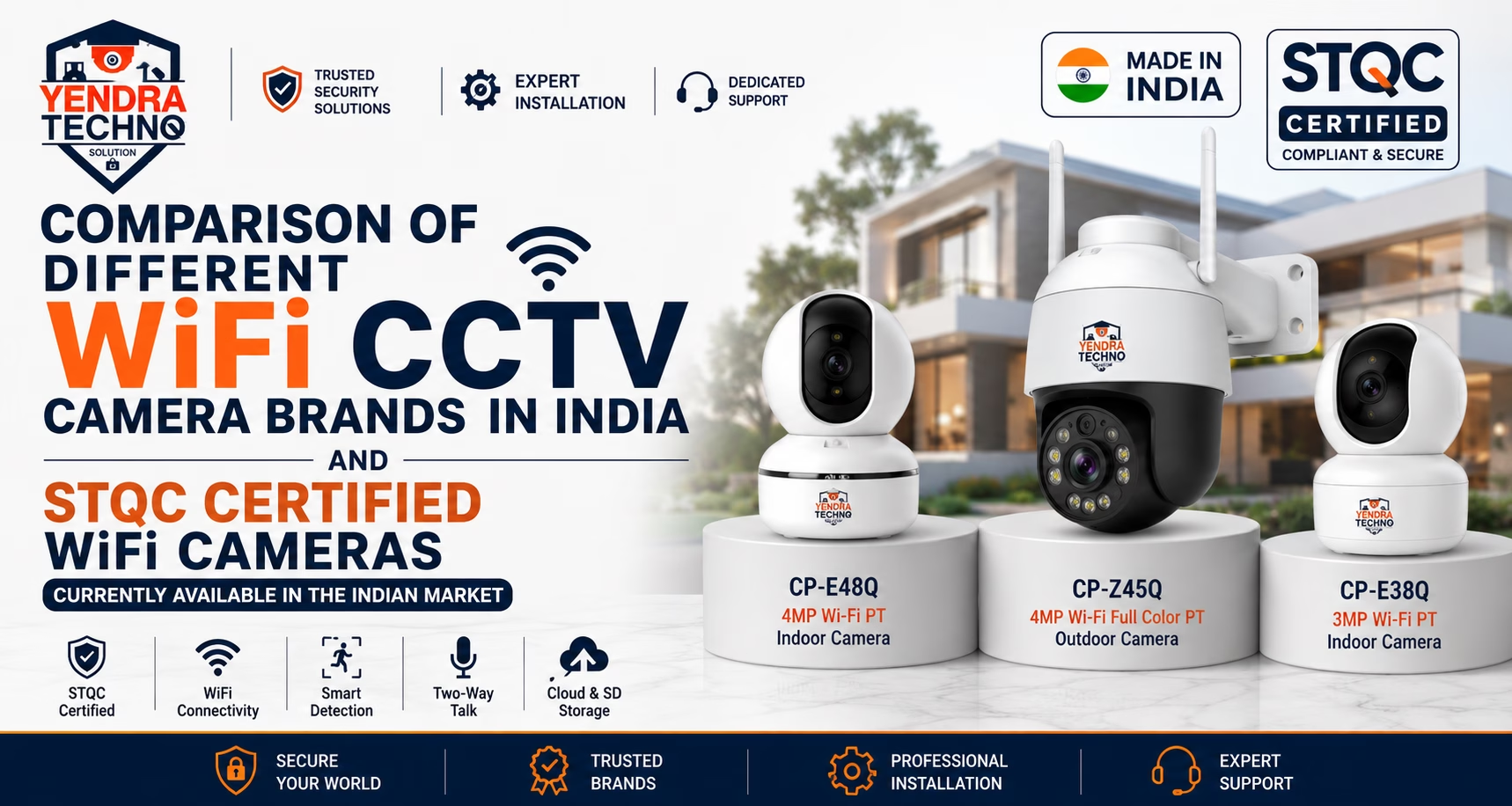
Best WiFi CCTV Camera Brands in India 2026 Comparison
Best Wifi CCTV brands in India Best WiFi CCTV Camera Brands in India (2026 Comparison Guide) Summary If you are planning to install a WiFi CCTV camera for your home, shop, office, apartment, villa, or small business, choosing the right camera is only part of the solution. Proper planning, installation, storage, power backup, and compliance are equally important. Yendra Techno Solution recommends selected CP Plus WiFi CCTV Cameras because they offer reliable performance, strong service support, smart security features, and STQC-certified options suitable for the Indian market. Yendra Recommendations: For Outdoor Security: Choose CP Plus CP-Z45Q (4MP Full Color PT WiFi Camera) For Indoor Security: Choose CP Plus CP-E48 (4MP WiFi PT Indoor Camera), CP Plus CP-E38Q (3MP WiFi PT Indoor Camera) Install near a power socket Connect camera and router to UPS/Inverter backup Use CCTV Surveillance SD Cards Use CP Plus Surveillance SD Cards or equivalent Check STQC Certification Before Buying Understand the applications for WiFi CCTV vs Wired CCTV Do not purchase CCTV cameras based only on online reviews or price. Choose the right CCTV Solution Architect, not just a camera seller. Introduction WiFi CCTV cameras are becoming one of the fastest-growing security solutions in India for homes, shops, small offices, villas, clinics, reception areas, and small business locations. Many customers search online for terms like: Best WiFi CCTV camera in India Wireless CCTV camera for home WiFi CCTV camera with mobile view Outdoor WiFi CCTV camera Indoor WiFi CCTV camera STQC certified WiFi camera CP Plus WiFi camera Best CCTV camera brand in India But in 2026, choosing a WiFi CCTV camera is not only about price, megapixel, night vision, or mobile app. Customers must also check STQC certification, cyber security compliance, service support, storage reliability, Indian weather suitability, and long-term brand availability. At Yendra Techno Solution, we always recommend customers to choose a camera based on proper technical planning, not only based on online offers. 1. What Is a WiFi CCTV Camera? A WiFi CCTV camera is a security camera that sends video data through a wireless WiFi network instead of using a wired LAN cable for data transfer. However, WiFi does not mean the camera works without power. Important technical point A WiFi camera still needs: Electrical power socket Stable WiFi signal Router connectivity Mobile app configuration SD card or cloud storage UPS / inverter backup for continuous operation WiFi means only the data transfer is wireless. The camera still needs power to work. 2. Why STQC Certification Is Important for WiFi CCTV Cameras in India CCTV cameras are connected devices. They are connected to routers, mobile apps, cloud platforms, internet networks, and sometimes business security systems. Because of this, CCTV camera security is not only physical security. It is also cyber security. STQC certification helps customers and businesses identify products that are tested under defined Indian compliance and security requirements. Before buying any WiFi CCTV camera in India, customers should ask: Is this camera STQC certified? Is the exact model number certified? Is the product suitable for Indian usage? Is the brand providing long-term service support? Is the app reliable? Is storage properly planned? Is the camera suitable for indoor or outdoor use? Is installation done by a trained CCTV solution provider? 3. Comparison of Popular WiFi CCTV Camera Brands in India 1. CP Plus WiFi Cameras CP Plus is one of the strongest WiFi CCTV camera brands in India for home, shop, office, and small business security. At Yendra Techno Solution, we recommend selected CP Plus WiFi cameras because of: Make in India product focus Good product quality Strong Indian market presence Better service support STQC-certified camera options Indoor and outdoor WiFi camera range Cloud recording option Mobile app support Motion detection features Two-way talk support Human body detection features Built-in speaker and siren options Recommended CP Plus WiFi Camera Models CP Plus CP-Z45Q – Outdoor WiFi Camera Best For House entrance Villa gate Shop front Parking area Small office outdoor area Balcony monitoring Farm house monitoring Key features 4MP WiFi Full Color PT Camera Color night vision Pan and tilt coverage Motion detection Motion tracking Human body detection Two-way talk Built-in siren Built-in speaker Cloud recording option Alarm notification push Suitable for Indian outdoor conditions CP Plus CP-E48Q – Indoor WiFi Camera Best For Living room Office cabin Reception area Small shop Baby monitoring Elderly care Pet monitoring Stock room Key features 4MP WiFi PT Indoor Camera Motion detection Motion tracking Two-way talk Built-in speaker Cloud recording option Alarm notification push CP Plus CP-E38Q – Indoor WiFi Camera Best For Home indoor monitoring Small rooms Office cabin Small shop monitoring Kids’ room Pet monitoring Key features 3MP WiFi PT Indoor Camera Motion detection Two-way talk Mobile viewing Cloud recording option Indoor pan and tilt monitoring Yendra’s technical rating for CP Plus WiFi Cameras Product reliability: HighService support: HighSTQC compliance availability: Strong, but verify exact modelBest use case: Homes, shops, villas, offices, small commercial spacesYendra recommendation: Strongly recommended for WiFi CCTV requirements 2. Qubo WiFi Cameras Qubo is a smart home security brand backed by the Hero Group. Qubo cameras are popular in the consumer smart home segment and are commonly used for home monitoring, indoor monitoring, baby monitoring, pet monitoring, and basic smart security. Strengths of Qubo WiFi Cameras Good smart home branding Easy mobile app usage Indoor camera options Smart doorbell and home security products Consumer-friendly design Good for simple home monitoring Limitations to check Exact STQC certification must be verified model-wise Not always suitable for professional CCTV-style projects Service and installation support depends on seller or location Better suited for DIY smart home users than complex CCTV projects Yendra’s technical rating for Qubo WiFi Cameras Product reliability: Good for home usageService support: Moderate to good, depending on locationSTQC compliance availability: Verify exact model before purchaseBest use case: Smart home indoor monitoringYendra recommendation: Suitable for simple home use, but model-level compliance must be checked 3. Trueview WiFi Cameras Trueview offers WiFi, 4G, solar, and smart CCTV camera options in
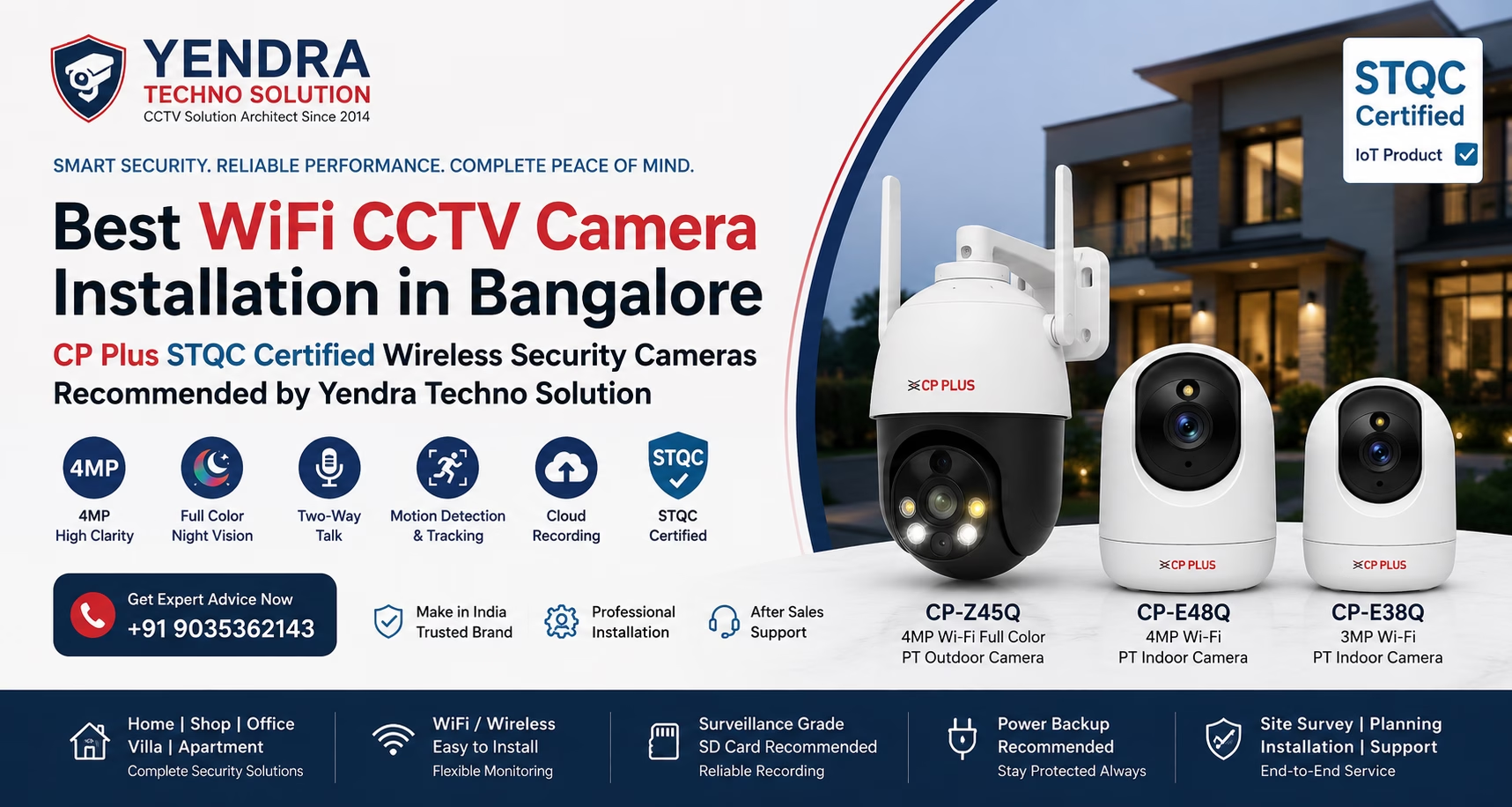
Best WiFi CCTV Camera Installation in Bangalore – CP Plus STQC Certified Wireless Security Cameras Recommended by Yendra Techno Solution
Best WiFi CCTV camera installation in Bangalore Best WiFi CCTV Camera Installation in Bangalore – CP Plus STQC Certified Wireless Security Cameras Recommended by Yendra Techno Solution Summary If you are planning to install a WiFi CCTV camera for your home, shop, office, apartment, villa, or small business, choosing the right camera is only part of the solution. Proper planning, installation, storage, power backup, and compliance are equally important. Yendra Techno Solution recommends selected CP Plus WiFi CCTV Cameras because they offer reliable performance, strong service support, smart security features, and STQC-certified options suitable for the Indian market. Yendra Recommendations: For Outdoor Security: Choose CP Plus CP-Z45Q (4MP Full Color PT WiFi Camera) For Indoor Security: Choose CP Plus CP-E48 (4MP WiFi PT Indoor Camera), CP Plus CP-E38Q (3MP WiFi PT Indoor Camera) Install near a power socket Connect camera and router to UPS/Inverter backup Use CCTV Surveillance SD Cards Use CP Plus Surveillance SD Cards or equivalent Check STQC Certification Before Buying Understand the applications for WiFi CCTV vs Wired CCTV Do not purchase CCTV cameras based only on online reviews or price. Choose the right CCTV Solution Architect, not just a camera seller. Introduction Are you planning to install WiFi CCTV cameras for your home, shop, office, villa, apartment, or small business in Bangalore? Many customers today search online for wireless CCTV cameras, WiFi security cameras, cloud CCTV cameras, and mobile-view cameras. But choosing the right camera is not only about buying a product online. A CCTV camera is a security device, and it must be selected based on clarity, reliability, storage, power backup, WiFi strength, weather condition, compliance, and long-term support. At Yendra Techno Solution, we work as a professional CCTV Solution Architect in Bangalore. We recommend security cameras only after understanding the actual site condition, customer requirement, indoor and outdoor camera placement, recording needs, internet availability, and long-term service expectations. For WiFi CCTV camera requirements, Yendra recommends selected CP Plus WiFi cameras because CP Plus offers reliable product quality, Make in India product focus, strong service support, and STQC-certified camera options for the Indian security market. 1. Why WiFi CCTV Cameras Are Popular in Homes and Small Businesses WiFi CCTV cameras are useful for customers who need simple and smart monitoring without full network cabling in every location. They are commonly used in: Homes Apartments Villas Small offices Shops Clinics Reception areas Baby monitoring Elderly care monitoring Pet monitoring Parking areas Farm houses Small warehouses WiFi cameras are preferred because they support mobile live view, cloud recording options, two-way talk, motion detection, and instant alert notifications. However, WiFi cameras must be planned properly. Poor WiFi signal, wrong SD card, no power backup, weak camera placement, or non-certified products can create problems in the long run. 2.Important Technical Point: WiFi Camera Does Not Mean No Power Cable One of the biggest misunderstandings among customers is that a wireless CCTV camera does not require any wire. Technically, this is incorrect. A WiFi or wireless CCTV camera still needs electrical power. The word “WiFi” means that the camera transfers video data through the wireless network to the router or mobile application. But the camera still needs a power source to switch on and work continuously. Yendra’s recommendation: Provide a proper electrical power socket near the camera location. Connect the camera power point to UPS or inverter backup. Avoid loose adapters or temporary extension boxes. Use weather-protected power points for outdoor cameras. Ensure stable WiFi signal at the camera location. This planning helps avoid frequent camera offline issues, recording gaps, and power failure problems. 3.Best Outdoor WiFi CCTV Camera Recommended by Yendra CP Plus CP-Z45Q – 4MP Wi-Fi Full Color PT Outdoor Camera For outdoor WiFi CCTV camera requirements, Yendra recommends the CP Plus CP-Z45Q. This camera is suitable for customers who need smart outdoor monitoring with clear image quality, mobile alerts, two-way communication, and full color night monitoring. CP Plus officially lists CP-Z45Q as a 4MP Wi-Fi Full Color PT Camera with 1/2.9” 4MP CMOS image sensor, 4mm lens, H.265 video compression, Wi-Fi support, 20fps at 4MP, 15m IR distance, and 8–10m white LED distance. Best use cases for CP-Z45Q House entrance Villa gate Shop front Parking area Small office entrance Farm house outdoor area Apartment balcony Outdoor delivery monitoring Small business perimeter monitoring Key features 4MP video clarity WiFi support Full color night vision Pan and tilt coverage Two-way talk support Motion detection Motion tracking Human body detection Alarm notification push Built-in siren Built-in speaker Echo cancellation Cloud recording option Suitable for Indian outdoor conditions STQC-certified camera option 4. Best Indoor WiFi CCTV Cameras Recommended by Yendra CP Plus CP-E48Q – 4MP Wi-Fi PT Indoor Camera For indoor monitoring, Yendra recommends CP Plus CP-E48Q for customers who need 4MP clarity with smart indoor monitoring features. CP Plus officially lists CP-E48Q with 4MP resolution, H.265 video compression, 4mm lens, motion detection support, and motion tracking support. Best use cases for CP-E48Q Living room Reception area Cash counter Baby monitoring Elderly care Small office room Shop indoor monitoring Stock room Pet monitoring Key features 4MP indoor video clarity WiFi support Pan and tilt monitoring Two-way talk support Cloud recording option Motion detection Motion tracking Human body detection Alarm notification push Built-in siren Built-in speaker Echo cancellation STQC-certified camera option CP Plus CP-E38Q – 3MP Wi-Fi PT Indoor Camera For customers looking for a practical indoor WiFi camera option, CP Plus CP-E38Q is also a good indoor camera model. CP Plus officially lists CP-E38Q as a 3MP Wi-Fi PT Camera with 1/2.7” 3MP PS CMOS image sensor, 4mm lens, H.265 video compression, Wi-Fi support, 20fps at 3MP, and 15m IR distance Best use cases for CP-E38Q Small rooms Indoor shop monitoring Home monitoring Kids’ room Pet monitoring Office cabin Small stock area Key features 3MP video clarity WiFi support Pan and tilt viewing Two-way talk support Cloud recording option Motion detection Motion tracking Human body detection Alarm notification push Built-in speaker Indoor smart monitoring support 5.Why STQC Certification Matters for
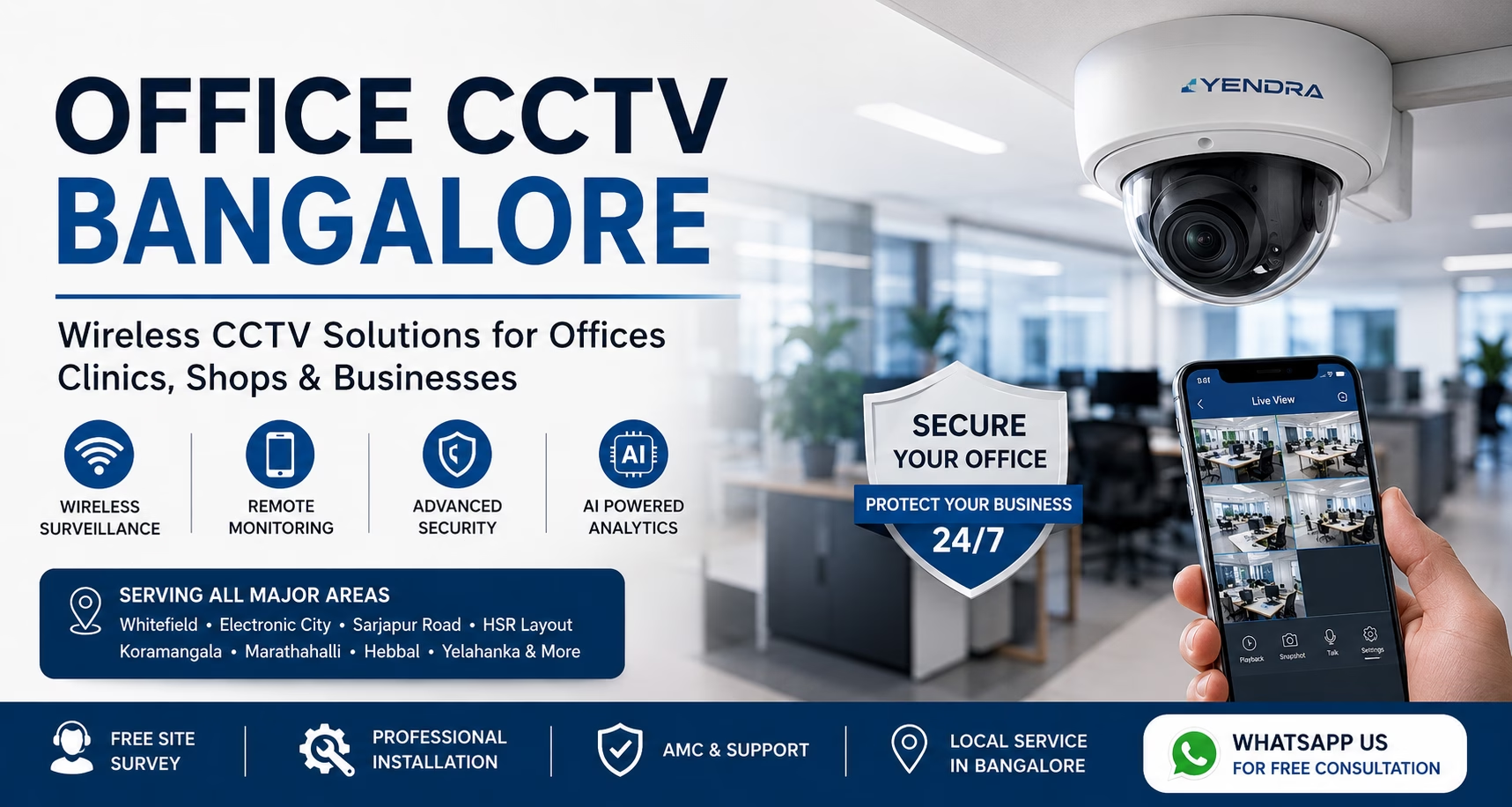
Best Wireless CCTV for Bangalore Offices & Small Businesses (2026 Guide)
Best Wireless CCTV for Bangalore Offices & Small Businesses (2026 Guide) Best Wireless CCTV for Bangalore Offices & Small Businesses (2026 Guide) Summary Wireless CCTV is ideal for offices, retail stores, clinics, startups, and small businesses in Bangalore. Installation is faster and less disruptive than traditional wired systems. Business owners can monitor their premises remotely through mobile apps. AI features such as person detection and intrusion alerts improve security efficiency. Small offices typically require 4–8 cameras, while larger businesses may need 8–16 or more. Office CCTV Bangalore installation costs generally depend on camera count, storage requirements, and monitoring features. Wireless CCTV works best when supported by a stable internet and business-grade network. Professional site surveys help determine the right camera placement and system design. Featured Questions Answered Q. What is a wireless CCTV system for offices? A wireless CCTV system for offices uses Wi-Fi or wireless network connectivity to transmit video from security cameras to a recording device or cloud platform. It enables surveillance, remote monitoring, mobile access, and video analytics without extensive cabling, making installation faster and more flexible for modern businesses. Q. What is a wireless CCTV system for offices? A wireless CCTV system for offices uses Wi-Fi or wireless network connectivity to transmit video from security cameras to a recording device or cloud platform. It enables surveillance, remote monitoring, mobile access, and video analytics without extensive cabling, making installation faster and more flexible for modern businesses. Q. Is wireless CCTV suitable for Bangalore businesses? Yes. Wireless CCTV is suitable for most Bangalore offices, clinics, retail shops, restaurants, and coworking spaces. It offers quick installation, remote monitoring, AI-powered security features, and easy scalability, making it an effective surveillance solution for growing businesses. Q. How many CCTV cameras does an office need? Most small offices require 4–8 CCTV cameras to monitor entrances, reception areas, workspaces, and server rooms. Medium-sized offices may need 8–16 cameras, while larger facilities often require a professional site survey to determine the optimal surveillance coverage. Q. What is the cost of office CCTV installation in Bangalore? Office CCTV installation in Bangalore typically depends on camera count, image quality, storage requirements, AI features, and installation complexity. Small office CCTV systems generally start with 4–8 cameras, while larger businesses may require customized surveillance solutions. Q. Can wireless CCTV work without internet? Yes. Wireless CCTV cameras can continue recording locally even when internet connectivity is unavailable. However, features such as remote monitoring, mobile viewing, cloud backup, and real-time alerts may not function until the internet connection is restored. Q. Can I view my office CCTV cameras on my phone? Yes. Most modern Office CCTV Bangalore systems include mobile applications that allow business owners and managers to view live footage, playback recordings, receive alerts, and monitor multiple locations from a smartphone or tablet. Q. What are the best locations for office CCTV cameras? The best locations for office CCTV cameras include entrances, reception areas, cash counters, server rooms, inventory storage areas, parking lots, and other high-risk zones. Strategic camera placement improves surveillance coverage and reduces security blind spots. Q. Is wireless CCTV secure for business use? Yes. Business-grade wireless CCTV systems use encrypted communication, secure user authentication, access controls, and protected mobile applications. When installed correctly, they provide a secure and reliable surveillance solution for commercial environments. Q. What features should businesses look for in a CCTV system? Businesses should look for high-resolution security cameras, remote monitoring, video analytics, motion detection, mobile access, cloud or local storage, access control integration, and reliable after-sales support when selecting a CCTV surveillance system. Should businesses choose wired or wireless CCTV? Wireless CCTV is ideal for businesses seeking quick installation, flexibility, and easy expansion. Wired CCTV is often preferred for larger facilities that require maximum reliability and uninterrupted surveillance across extensive areas. Introduction Security concerns are increasing for offices, retail stores, clinics, warehouses, startups, and small businesses across Bangalore. From unauthorized access and employee safety to theft prevention and remote monitoring, business owners need a surveillance system that is reliable, flexible, and easy to manage. This is where Office CCTV Bangalore solutions using wireless CCTV technology have become popular. Modern wireless CCTV systems offer faster installation, smartphone access, AI-powered alerts, cloud storage options, and lower infrastructure requirements compared to traditional systems. Whether you run a small office in Whitefield, a retail store in Indiranagar, a clinic in HSR Layout, or a startup in Electronic City, choosing the right CCTV system can help improve security, monitor operations, and provide peace of mind. In this guide, you’ll learn: Whether wireless CCTV is suitable for your business The advantages and limitations of wireless office surveillance How many cameras your office may require How do you plan for your CCTV installation budget Features to look for before purchasing How to choose the right CCTV installation company By the end of this guide, you’ll have a clear understanding of the best wireless CCTV options for Bangalore offices and small businesses. 1. Who Needs Wireless CCTV? Not every business has the same security requirements, but most modern workplaces can benefit from a wireless surveillance system. Today’s wireless security cameras offer remote monitoring, video analytics, smartphone alerts, and flexible installation, making them suitable for a wide range of commercial environments. If you’re researching Office CCTV Bangalore solutions, the first step is understanding whether wireless CCTV is the right fit for your business type. Business Types That Benefit from Wireless CCTV Business Type Common Security Challenges How Wireless CCTV Helps Offices Unauthorized access, employee safety, visitor management Remote monitoring, access control integration, surveillance recording Clinics & Medical Centers Patient safety, restricted areas, compliance requirements Security cameras for reception, pharmacy, and entry monitoring Salons & Spas Cash handling, customer disputes, staff accountability Video analytics and activity monitoring Restaurants & Cafés Billing disputes, inventory loss, kitchen monitoring Real-time surveillance and operational visibility Retail Shops Shoplifting, cash counter security, customer traffic Security system with AI-based monitoring and alerts Coworking Spaces Multiple users, shared access, visitor management Remote monitoring and access control support Office

Industrial CCTV Installation Explained: Complete Guide for Bangalore Factories & Manufacturing Units (2026)
Industrial CCTV Installation: Complete Guide for Factories & Manufacturing Units | Yendra Techno Solution Yendra Techno Solution share cableINDUSTRIAL CCTV · PILLAR GUIDE Industrial CCTV Installation: Complete Guide for Factories & Manufacturing Units Site survey to handover, cabling and network infrastructure, NVR sizing, common mistakes, and two real factory installations — everything that goes into engineering industrial CCTV properly. schedule18 min read personBy Yendra Team event_repeatUpdated Aug 2026 fact_checkGet a Site Survey listJump to Section Summary What Is It Why It’s Different Installation Process Camera Placement Cabling & Network NVR & Storage Common Mistakes Cost Case Studies FAQs summarizeSummary What This Guide Covers Industrial CCTV installation is a defined engineering process — site survey, camera placement, cabling and network design, NVR sizing, installation, and testing — built for factories, not scaled up from a residential job. check_circleThe 10-step installation process, from site survey to handover check_circleHow to plan camera locations across production, gates, warehouse, and perimeter check_circleCat6, PoE, underground conduit, long cable runs, and surge protection explained check_circleHow NVR capacity and storage duration should actually be sized check_circleThe most common installation mistakes we’re called in to fix check_circleWhat drives installation cost, and where to get a full breakdown check_circleTwo real factory installations — a 32-camera and a 49-camera deployment This guide is the installation-focused deep dive in our factory CCTV resource — for the full commercial overview, see CCTV Surveillance for Factory. helpThe Basics What Is Industrial CCTV Installation? Q. What is industrial CCTV installation?Designing, cabling, mounting, and commissioning a surveillance system across a factory, warehouse, or manufacturing facility — engineered for the site, not scaled up from a residential setup. Industrial CCTV installation is the process of designing, cabling, mounting, and commissioning a surveillance system across a factory, warehouse, or manufacturing facility — as opposed to installing a handful of cameras in a home or a retail unit. The core difference isn’t the cameras themselves. It’s everything around them: cable runs that can stretch past 100 metres, network infrastructure that has to survive industrial electrical noise, recorders sized for 30–50+ channels instead of 4–8, and a physical environment with dust, heat, machinery vibration, and 24-hour operations. Industrial installation has to be engineered for that environment, not just scaled up from a smaller job. boltWhat Sets It Apart Why Industrial CCTV Installation Is Different A few things separate industrial installation from standard commercial or residential work. Q. How is industrial CCTV installation different from a home or office setup?Industrial installation covers far more cameras, longer cable runs, harsher environments, and continuous multi-shift operations — needing engineered infrastructure like PoE switching, underground conduit, and surge protection that residential jobs simply don’t require. 1Scaleexpand_more Factories commonly need 20–50+ cameras across production floors, warehouses, perimeters, and offices — not 4–8 cameras covering a single building. 2Distanceexpand_more Camera-to-NVR distances routinely exceed 100 metres, which changes cabling choices, PoE budgeting, and signal loss planning. 3Environmentexpand_more Dust, heat, vibration from machinery, and outdoor exposure demand IP-rated enclosures and cameras — not standard indoor hardware. 4Continuityexpand_more Many facilities run multiple shifts or operate 24/7, so installation has to be sequenced to avoid disrupting production. 5Infrastructureexpand_more Underground conduit, PoE switching, surge protection, and structured Cat6 networking are standard requirements, not optional upgrades. Skipping any of these considerations is usually where industrial CCTV projects go wrong — not because the cameras were the wrong choice, but because the infrastructure around them wasn’t engineered for the site. checklistThe Process Industrial CCTV Installation Process A properly executed installation follows a defined sequence. Skipping steps is where blind spots and rework come from. 1SITE SURVEY Walk the facility Map the layout, existing infrastructure, power points, and site constraints. 2REQUIREMENTS Security requirements analysis Map what the client needs to see and why, before any camera is chosen. 3PLACEMENT Camera placement Type and position planned area by area, catching blind spots on paper first. 4NETWORK Network planning PoE switch count, placement, and bandwidth sized to camera count and resolution. 5CABLING Cable routing Paths planned to minimise run length and protect cabling from machinery and weather. 6STORAGE NVR/storage planning Channel capacity and storage size calculated, not picked off a shelf. 7INSTALL Installation Cameras, NVR, switches, and cabling installed exactly as planned. 8CONFIGURE Configuration Resolution, motion zones, recording schedule, storage, and remote access set up. 9TEST Testing Every camera and channel checked for image quality, night vision, and retention. 10HANDOVER Handover Client’s team walked through the system, with documentation left behind. verifiedReal Installation Evidence Real Industrial Installation Engineering — Maigma Granite Exports A 32-camera IP surveillance system was deployed at Maigma Granite Exports (Shoolagiri, Tamil Nadu) using Hikvision and Prama cameras with a 32-channel Hikvision NVR and a dual-monitor monitoring wall. The installation included Cat6 cabling with 100m+ cable runs, underground conduit, PoE/PoE+ infrastructure, and surge protection — engineered for a continuous industrial granite manufacturing environment. The system supports 24/7 remote and mobile access. 32-camera deployment 100m+ cable runs 32-channel NVR Dual-monitor wall Remote/mobile access fact_checkGet an Industrial CCTV Site Survey This is how the process works end to end — if you’re ready to book the work itself, see our CCTV Camera Installation for Factory service page. mapPlacement Planning How to Plan CCTV Camera Locations in a Factory Placement isn’t about spreading cameras evenly — it’s about mapping coverage to risk, zone by zone. Zone What It Covers Key Consideration Production Floor Process areas, machine-adjacent activity Angles that avoid machinery or stock blocking the view Entry & Exit Gates Vehicle and personnel movement Positioned for clear identification, not just motion Warehouse & Storage Racking, loading docks, dispatch points Highest inventory risk areas get priority coverage Perimeter & Boundary Compound walls, approach roads Long-range coverage with adequate night vision Offices Administrative areas Lighter coverage, less conspicuous camera type Parking Areas Employee and visitor vehicles Covers both vehicle safety and traffic disputes Server / Control Rooms Restricted-access infrastructure Dedicated coverage — this protects the CCTV system itself The goal is to walk the site with a layout drawing and mark every angle — checking for overlap

Indoor vs Outdoor Wireless CCTV Cameras: Which One Do You Need?
Indoor vs Outdoor Wireless CCTV Cameras: Which One Do You Need? Indoor vs Outdoor Wireless CCTV Cameras: Which One Do You Need? Summary Indoor wireless CCTV cameras are designed for monitoring rooms, hallways, children, elderly family members, and indoor assets. Outdoor wireless CCTV cameras are built to handle rain, dust, sunlight, and temperature changes. Weatherproof wireless cameras require appropriate IP ratings for long-term reliability. WiFi coverage is often the biggest challenge in wireless CCTV installations. Apartments typically require more indoor coverage than outdoor coverage. Villas require a combination of indoor and outdoor surveillance. Offices benefit from separate indoor and perimeter security monitoring. Choosing the correct camera type improves performance, image quality, and camera lifespan. Introduction Wireless CCTV cameras have become one of the most popular security solutions for homeowners, apartment residents, villa owners, offices, and businesses across Bangalore. Offering flexible installation, remote monitoring, smartphone alerts, and AI-powered security features, wireless surveillance systems provide a convenient way to protect people, property, and assets without extensive cabling. However, choosing the right camera type is just as important as choosing the right brand. Many buyers struggle to decide between an indoor wireless CCTV camera and an outdoor wireless CCTV camera, often assuming they serve the same purpose. In reality, each is designed for a specific environment. While an indoor wireless CCTV camera is optimized for monitoring rooms, hallways, offices, and living spaces, an outdoor wireless CCTV camera is built to withstand Bangalore’s rain, dust, heat, humidity, and changing weather conditions. Selecting the wrong camera can lead to poor performance, connectivity issues, reduced lifespan, and security blind spots. Understanding the differences between indoor wireless CCTV, outdoor wireless CCTV, and weatherproof wireless camera solutions will help you choose the right surveillance system for your apartment, villa, office, or commercial property. In this guide, we’ll compare their features, installation requirements, WiFi challenges, weather protection standards, and ideal use cases so you can make an informed security decision. 1. What Is an Outdoor Wireless CCTV Camera? Q: What is an outdoor wireless CCTV camera? An outdoor wireless CCTV camera is a weatherproof security camera that transmits video over WiFi while being designed to withstand rain, dust, heat, and outdoor environmental conditions. Most outdoor wireless CCTV cameras include night vision, motion detection, and IP65 or IP66 weather protection. An outdoor wireless CCTV camera is engineered to withstand harsh environmental conditions while continuously monitoring the perimeter of a property. These cameras are commonly installed at: Main gates Parking areas Driveways Compound walls Entry points Rooftops Loading bays Commercial entrances Benefits of Outdoor Wireless CCTV Early threat detection Property perimeter protection Vehicle monitoring Visitor tracking Intruder detection AI-based motion analytics Outdoor cameras serve as the first line of defense by detecting suspicious activity before someone enters the building. 2. What Is an Indoor Wireless CCTV Camera? Q: What is an indoor wireless CCTV camera? An indoor wireless CCTV camera is a WiFi-enabled surveillance camera designed for monitoring rooms, hallways, offices, children, pets, and elderly family members inside buildings. Indoor wireless CCTV cameras are compact, easy to install, and optimized for controlled indoor environments. An indoor wireless CCTV camera is designed specifically for enclosed spaces where environmental conditions are stable. These cameras connect through WiFi and are commonly installed in: Living rooms Hallways Children’s rooms Elderly care monitoring areas Home offices Retail stores Reception areas Small office workspaces 3. Indoor Wireless CCTV vs Outdoor Wireless CCTV Q: What is the difference between indoor wireless CCTV and outdoor wireless CCTV? The main difference is durability and environmental protection. Indoor wireless CCTV cameras are designed for enclosed spaces, while outdoor wireless CCTV cameras are weatherproof, dust-resistant, and built to handle rain, sunlight, and temperature changes. Q: Can an indoor wireless CCTV camera be used outdoors? No. Indoor wireless CCTV cameras lack weatherproof protection and can be damaged by rain, dust, humidity, and direct sunlight when installed outdoors. Feature Indoor Wireless CCTV Outdoor Wireless CCTV Installation Location Inside rooms and buildings Outside property Weather Resistance Not required Essential Size Compact Larger and rugged Night Vision Standard Enhanced IR or Color Night Vision Durability Moderate High Dust Protection Limited High Rain Protection None Required Price Lower Higher Primary Purpose Activity monitoring Intrusion prevention 4. WiFi Challenges in Wireless CCTV Installations Q: Why does my outdoor wireless CCTV camera keep disconnecting? Outdoor wireless CCTV cameras often disconnect due to weak WiFi signals, long distances from the router, concrete walls, metal structures, network congestion, or insufficient bandwidth. Q: How can I improve WiFi performance for wireless CCTV cameras? Improve wireless CCTV performance by using mesh WiFi systems, WiFi extenders, dual-band routers, strategic router placement, and dedicated security camera network configurations. Weak Signal Strength Signals weaken when passing through: Concrete walls Granite structures Metal gates Staircases Water tanks Network Congestion Modern homes often have: Smartphones Smart TVs Alexa devices Laptops IoT devices All competing for WiFi bandwidth. Distance Issues Outdoor cameras installed at: Gates Parking areas Boundary walls may be too far from the router. How to Improve Wireless CCTV Performance Install mesh WiFi systems Use dual-band routers Add WiFi extenders Position routers centrally Use dedicated CCTV network segments For larger properties, you may find that a hybrid system works better than a fully wireless setup. Read our detailed comparison of Wired vs Wireless CCTV Cameras to understand which architecture suits your property best. 5.Weather Exposure: Why Outdoor Wireless CCTV Cameras Need Special Protection Q: Do outdoor wireless CCTV cameras need weatherproof protection? Yes. Outdoor wireless CCTV cameras require weatherproof housing to protect against rain, dust, humidity, heat, and UV exposure. Without proper protection, camera performance and lifespan can be significantly reduced. Q: Can rain damage an outdoor wireless CCTV camera? Properly rated weatherproof wireless cameras can operate safely in heavy rain. Cameras without adequate IP ratings may experience water ingress and hardware failure. Bangalore experiences: Heavy monsoon rainfall High UV exposure Dust accumulation Humidity fluctuations Temperature changes A standard indoor wireless camera exposed outdoors can fail within months. Common failures include: Lens fogging Water ingress Corrosion

Wireless CCTV Camera for Home in Bangalore: Complete 2026 Buyer’s Guide for Homeowners To Feel Safer Every Day
Best Wireless CCTV Camera for Home in Bangalore: Complete 2026 Buyer’s Guide for Homeowners To Feel Safer Every Day Best Wireless CCTV Camera for Home in Bangalore: Complete 2026 Buyer’s Guide for Homeowners To Feel Safer Every Day Summary If you’re looking for a Wireless CCTV Camera for Home in Bangalore, the right choice depends on your property type and security requirements. Apartments & flats typically need WiFi-enabled indoor and entrance monitoring cameras. Villas require a combination of wireless indoor cameras and professional outdoor surveillance systems. Independent houses need perimeter coverage, gate monitoring, and smart alerts. Rental homes benefit from portable, easy-to-install wireless cameras. Modern wireless CCTV systems support remote monitoring for children, elderly family members, and pets. Proper WiFi placement is critical for reliable performance. Always choose STQC-compliant surveillance systems from trusted brands such as CP Plus for better cybersecurity and reliability. For Bangalore homeowners, wireless CCTV is no longer just a convenience feature—it has become an essential part of modern home security. Introduction Wireless CCTV cameras have transformed how Bangalore homeowners protect their families, properties, and valuables. Whether you live in an apartment in Whitefield, a villa in Sarjapur Road, an independent house in Jayanagar, or a rental home in Electronic City, modern wireless surveillance systems offer convenient remote monitoring, instant alerts, and easy installation without extensive cabling. However, not all wireless CCTV cameras are the same. Many homeowners struggle to understand the differences between WiFi cameras, wireless IP cameras, battery-powered cameras, and professional surveillance systems. Choosing the wrong solution can result in poor video quality, unreliable connectivity, security vulnerabilities, and unnecessary expenses. In this complete 2026 buyer’s guide, you’ll learn how wireless CCTV cameras work, which solutions are best for apartments, villas, and independent houses, how to optimize WiFi placement, what cybersecurity features to look for, and whether brands like CP Plus and Qubo are suitable for your home. By the end of this guide, you’ll have the clarity needed to choose the right wireless CCTV camera for your home in Bangalore and make a confident buying decision. 1. Why Wireless CCTV Cameras Are Becoming Popular in Bangalore Homes The best CCTV camera for home in Bangalore helps protect against unauthorized entry, package theft, parking incidents, and blind spots. Bangalore homes face unique risks due to apartment living, villa communities, delivery traffic, and rapid urban expansion. Modern CCTV systems provide: Real-time mobile monitoring AI-based alerts Night surveillance Evidence recording Home security requirements across Bangalore have changed significantly over the last few years. With increasing apartment living, remote work culture, frequent travel, and growing concerns about package theft, unauthorized entry, and family safety, homeowners want surveillance systems that are easy to install and easy to monitor. This is where wireless CCTV technology becomes attractive. Unlike traditional systems that require extensive cabling throughout the property, wireless surveillance cameras communicate through WiFi networks, reducing installation complexity while enabling remote access through smartphones. For many Bangalore homeowners, a wireless CCTV system provides: Real-time monitoring Motion alerts Two-way communication Cloud recording options Remote access from anywhere Faster deployment However, wireless does not automatically mean better. Understanding where wireless CCTV works best is important before making a purchase decision. 2.What is a Wireless CCTV Camera? Q: What is a wireless CCTV camera? A: A wireless CCTV camera is a surveillance camera that uses WiFi to transmit video footage to a mobile app, cloud storage, or recording device without requiring network cables. Most wireless cameras still need a power connection and allow homeowners to monitor their property remotely through a smartphone. A wireless CCTV camera uses WiFi connectivity to transmit video data to a recorder, cloud platform, or mobile application without requiring network cables between the camera and recording device. Most home wireless cameras still require power supply connections unless they are battery-powered models. Wireless CCTV systems generally consist of: Camera WiFi connection Mobile application Cloud or local storage Motion detection features Many homeowners confuse: WiFi Cameras Wireless IP Cameras Battery Cameras Cloud Cameras While all belong to the wireless surveillance category, their functionality and reliability vary significantly. Yendra Insight: For permanent residential security in Bangalore, professional wireless IP cameras generally offer better performance than low-cost battery-operated consumer cameras. Read our articles on wireless CCTV camera guide 3. Is Wireless CCTV Suitable for Bangalore Homes? Q: Is wireless CCTV suitable for Bangalore homes? A: Yes. Wireless CCTV cameras are suitable for most Bangalore homes, especially apartments, rental properties, and small independent houses. They offer easy installation, remote monitoring, motion alerts, and flexible placement. However, reliable WiFi coverage is essential for consistent performance. The answer depends on the property type. Wireless CCTV performs exceptionally well when: WiFi coverage is stable Camera locations are within signal range Power supply is available The homeowner requires remote access Wireless CCTV may not be ideal when: Large outdoor areas require coverage Thick concrete walls block signals Network stability is poor Multiple high-resolution cameras are deployed Understanding your property type helps determine the right solution 4. Wireless CCTV for Apartments in Bangalore Q: Which wireless CCTV camera is best for apartments? A: The best wireless CCTV camera for apartments is one that provides Full HD video, mobile app access, motion detection, two-way audio, and night vision. For most Bangalore apartments, 2–4 wireless cameras covering the main entrance, living room, and balcony provide effective security and monitoring. Many Bangalore residents live in gated communities and apartment complexes. For these homeowners, wireless CCTV for apartment security is often the most practical choice. Recommended Coverage Main Door Monitoring Monitor visitors, deliveries, and unauthorized access attempts. Living Room Monitoring Useful during vacations or long working hours. Children’s Room Monitoring Allows parents to monitor children remotely. Balcony Monitoring Helpful for higher-floor apartments with accessible balconies. Advantages for Apartments Minimal drilling Easy installation Remote smartphone access Portable during relocation Cost-effective deployment Yendra Advice: Most apartment owners require only 2–4 strategically placed wireless cameras rather than full-scale surveillance systems. 5.Wireless CCTV for Villas in Bangalore The best CCTV camera for home in Bangalore now includes AI-powered

Wired vs Wireless CCTV Camera: Which is Better for Bangalore properties
Wired vs Wireless CCTV Camera: Which is Better for Bangalore Properties? Wired vs Wireless CCTV Camera: Which is Better for Bangalore Properties? Summary Factor Wired CCTV Wireless CCTV Reliability Excellent Good Video Stability Excellent Depends on WiFi Internet Dependency No Usually Yes Cyber Security Lower Risk Higher Risk Installation Speed Slower Faster Installation Cost Higher Initially Lower Initially Long-Term Maintenance Lower Higher Large Properties Best Choice Limited Apartments Good Excellent Villas Best Choice Good Businesses Best Choice Limited Use Industries Strongly Recommended Not Recommended Bangalore Weather Suitability Excellent Moderate Yendra Recommendation: For most Bangalore homes, villas, offices, warehouses, and industries, wired CCTV remains the most reliable long-term security solution. 1. Introduction Before investing in a surveillance system, one question confuses most property owners in Bangalore: Should you choose a wired CCTV system or a wireless CCTV system? While wireless cameras appear modern and convenient, wired systems continue to dominate professional security installations across homes, offices, warehouses, factories, and commercial buildings. The reality is that neither option is universally better. The right choice depends on your property type, internet reliability, security requirements, and long-term maintenance expectations. In this detailed comparison, we explain wired vs wireless CCTV from a practical Bangalore perspective, helping homeowners, apartment residents, businesses, and industrial facilities choose the right surveillance architecture. 2.Understanding Wired vs Wireless CCTV Before comparing performance, it is important to understand what these systems actually mean. What is a Wired CCTV Camera? A wired CCTV camera transmits video data through physical cables connected to an NVR (Network Video Recorder) or DVR (Digital Video Recorder). Typical components include: CCTV camera Ethernet cable or coaxial cable NVR/DVR Power supply Local storage The video recording continues even when internet connectivity is unavailable. What is a Wireless CCTV Camera? A wireless CCTV camera transmits video using WiFi instead of a network cable. Most wireless systems include: WiFi-enabled camera Router connection Mobile application Cloud storage or SD card Many homeowners incorrectly assume wireless cameras require no wiring. In reality, most wireless cameras still require power cables unless they are battery-operated models. 3. Wired vs Wireless CCTV: Speed and Video Performance Video transmission quality directly affects security effectiveness. Wired CCTV Performance Wired systems provide: Consistent video transmission Minimal latency Stable 24/7 recording Better support for multiple cameras Reliable 4MP, 5MP, 8MP, and 4K video streams Since data travels through dedicated cables, there is no network congestion from smartphones, laptops, or smart devices. Yendra Insight For villas, commercial buildings, warehouses, and industrial sites, wired systems maintain recording quality even when dozens of cameras operate simultaneously. 4. Wireless CCTV Performance Wireless cameras depend on: WiFi signal strength Router quality Network congestion Distance from router Internet bandwidth Performance issues commonly include: Video lag Frame drops Delayed notifications Temporary disconnections In apartments with strong WiFi coverage, these limitations may be manageable. In larger properties, they become significant. Winner: Wired CCTV 5.Wired vs Wireless CCTV: Stability and Reliability When discussing wired vs wireless CCTV, reliability is often more important than convenience. Wired CCTV Stability A properly installed wired CCTV system can operate continuously for years. Benefits include: No WiFi interference Stable recording Lower downtime Better support for multiple cameras Consistent remote access Professional security consultants generally prioritize reliability over installation convenience. Wireless CCTV Stability Wireless systems are affected by: WiFi outages Router failures ISP disruptions Signal interference Device congestion A camera losing connection for even a few minutes can create critical security blind spots. Yendra Insight Many emergency troubleshooting requests involve wireless cameras disconnecting from WiFi after router changes, firmware updates, or power fluctuations. Winner: Wired CCTV 6.Wired vs Wireless CCTV: Internet Dependency This is one of the biggest differences. Wired CCTV Systems A wired CCTV system can function completely offline. Features continue operating: Recording Playback Motion detection Local monitoring Internet is required only for remote viewing. This makes wired CCTV ideal for locations with occasional broadband disruptions. Wireless CCTV Systems Wireless cameras often depend heavily on internet connectivity. Without internet: Cloud recording may stop Remote access may fail Mobile notifications may stop AI features may be limited While some models support local recording, most users purchase wireless systems specifically for cloud-based monitoring. Winner: Wired CCTV 7.Wired vs Wireless CCTV: Cyber Security Risks Cybersecurity is becoming a major concern for CCTV users. For a deeper understanding of AI surveillance security risks, readers should also explore our article on AI CCTV Cameras for Cybersecurity for a Safer 2025. Wired CCTV Cyber Risk Wired systems are generally safer because: They can operate on isolated networks They do not constantly broadcast wireless signals They have fewer exposed attack surfaces Internet access can be restricted Many professional installations use dedicated surveillance networks. Wireless CCTV Cyber Risk Wireless cameras introduce additional risks: WiFi hacking attempts Weak password attacks Cloud vulnerabilities Router compromises Unauthorized access This does not mean wireless cameras are unsafe, but they require stronger cybersecurity practices. Pro Tip Always choose surveillance products that comply with relevant security and quality standards. Businesses and government projects should evaluate systems that meet requirements discussed in the STQC CCTV compliance guide. Winner: Wired CCTV 8. Wired vs Wireless CCTV: Installation Cost Many buyers focus only on initial pricing. However, true ownership cost extends beyond installation day. Wired CCTV Installation Cost Costs include: Cabling Conduits Labor NVR/DVR setup Power distribution Initial investment is usually higher. However, operating costs remain relatively low. Wireless CCTV Installation Cost Advantages include: Faster deployment Less cabling Lower labor requirements Easier installation in finished homes For apartments and rental properties, wireless systems can be cost-effective. Yendra Insight Wireless CCTV appears cheaper initially, but replacement batteries, cloud subscriptions, WiFi upgrades, and troubleshooting costs often reduce the savings over time. Winner: Wireless CCTV (Initial Cost) 9.Wired vs Wireless CCTV: Maintenance Requirements Wired CCTV Maintenance Typical maintenance includes: Lens cleaning Health checks Storage verification Firmware updates Network-related issues are generally less frequent. Wireless CCTV Maintenance Additional maintenance may involve: Router troubleshooting Signal optimization Reconnection procedures Battery replacement Cloud account management Wireless systems typically require more user involvement. Winner: Wired CCTV 10. Wired
Best CCTV Camera for Home in Bangalore: Complete 2026 Buyer Guide
Best CCTV Cameras for Home Security in India Best CCTV Camera for Home in Bangalore: Complete 2026 Buyer Guide Quick Summary for Busy Homeowners Search for best CCTV camera for home in Bangalore is high due to high-density living + delivery-based entry risks Apartments, villas, and independent houses require different camera setups Wired CCTV is more stable; wireless is more flexible but depends on WiFi STQC-certified CCTV systems ensure higher reliability and compliance-grade quality AI CCTV can detect humans, vehicles, and reduce false alerts 4K CCTV is useful for identifying faces and number plates clearly Outdoor cameras matter more than indoor ones for real security Trusted brands include CP Plus, Hikvision, Dahua, and Prama Installation quality matters more than brand in most cases CCTV cost in Bangalore varies based on home size and system design Proper installation + positioning = 70% of security effectiveness Not sure which CCTV setup is right for your home in Bangalore?Get a quick expert recommendation based on your apartment, villa, or independent house layout.WhatsApp for Free Basic Guidance Introduction Home security in Bangalore has changed dramatically over the last few years. With rapid urban expansion, rising apartment living, increasing villa communities, and mixed-density neighbourhoods, the need for reliable surveillance is no longer optional—it is foundational. Hence it is important for every person who is looking for home security to know which is the best CCTV Camera for Home in Bangalore. However here is the real challenge most homeowners face: Too many CCTV brands Confusing technical specifications Unclear pricing in Bangalore market Installation quality differences Lack of guidance on what actually matters for your home type This guide simplifies everything. Whether you live in an apartment in Whitefield, a villa in Sarjapur, or an independent house in North Bangalore, this page will help you choose the best CCTV camera for home in Bangalore based on real security needs—not marketing noise. 1. Why Homeowners Look For Best CCTV Camera For Home In Bangalore The best CCTV camera for home in Bangalore helps protect against unauthorized entry, package theft, parking incidents, and blind spots. Bangalore homes face unique risks due to apartment living, villa communities, delivery traffic, and rapid urban expansion. Modern CCTV systems provide: Real-time mobile monitoring AI-based alerts Night surveillance Evidence recording Bangalore is a unique security environment because it combines: High-rise apartments Independent gated villas Dense residential layouts Heavy delivery traffic (Swiggy, Amazon, Blinkit, etc.) Frequent tenant movement in rental zones This creates multiple entry points for risk. Common real-world risks in Bangalore homes for which the residents constantly research for CCTV brands & surveillance cameras to decide on which is the best CCTV camera for home in Bangalore: Unverified visitor entry in apartments Package theft from doorsteps Parking area mismanagement or vehicle scratches Boundary wall trespassing in villas Domestic help monitoring requirements Night-time blind spots in independent houses A properly designed system acts as: A preventive deterrent A real-time monitoring tool A post-incident evidence system In Bangalore conditions, CCTV is not just about recording—it is about visibility control across your property. For More Details read our article where AI home security systems explained .:Best CCTV Cameras for Home Security in India 2. Best CCTV Camera For Home in Bangalore- Apartment vs Villa vs Independent House Risks Choosing the best CCTV camera for home in Bangalore depends on the property type. Different homes require different security designs: Apartments → entry door + parking monitoring Villas → perimeter + gate surveillance Independent houses → multi-entry protection Proper camera placement is more important than simply increasing camera quantity. Security design changes completely based on property type and so does the best CCTV camera for home in Bangalore Apartments (High-density living) Key risks: Common corridor movement Lift lobby access Basement parking incidents Unknown visitor entry Recommended setup: Doorbell camera or indoor entry camera Corridor-facing camera (if permitted) Parking surveillance (shared system if RWA allows) Villas (Gated or semi-gated) Key risks: Boundary wall intrusion Garden or backyard access Service gate monitoring Recommended setup: 4–8 outdoor perimeter cameras Gate camera with clear face capture Night vision cameras for boundary walls Independent Houses Key risks: No society-level security backup Multiple entry points (front, back, side) Street-level exposure Recommended setup: 4–6 outdoor cameras minimum Coverage of all entry points One indoor central monitoring point Read our articles to get more practical insight on camera installation design, planning and deployment in villas and apartments in Bangalore: luxury home surveillance camera in Indiranagar 3. Wired vs Wireless CCTV- which is best CCTV camera for home in Bangalore The best CCTV camera for home in Bangalore is usually a wired system for long-term reliability and stable recording. Wired CCTV advantages: Better signal stability Lower downtime Reliable 24/7 recording Wireless CCTV advantages: Easier installation Flexible setup Suitable for rental homes For Bangalore homes, wired CCTV is generally preferred for villas and independent houses. This is one of the most misunderstood topics. Most of the time homeowners are biased to choose wireless CCTV system as the best CCTV camera for home in Bangalore. Both have separate applications. Lets understand. Wired CCTV (Recommended for most Bangalore homes) Pros: Stable recording (no WiFi dependency) Better long-term reliability Less hacking risk Works during network fluctuations Cons: Installation effort is higher Requires proper cabling planning Wireless CCTV Pros: Easy installation Flexible placement Good for rented homes Cons: Depends heavily on WiFi strength Can have lag or disconnections Higher maintenance in weak network zones Practical recommendation: Permanent home → Wired CCTV Rental / temporary setup → Wireless CCTV For Bangalore conditions (walls, interference, dense networks), wired systems are still the industry standard. Further Insight From our articles: STQC-Certified Wireless CCTV Camera for Home in Bangalore 2025: Complete Buyer’s & Installation Guide 10 Best Wireless CCTV Cameras in India (2025 Expert Buyer’s Guide) 4. Importance of STQC Certified CCTV camera for Bangalore Homes-STQC certified CCTV meaning The best CCTV camera for home in Bangalore should ideally use reliable, standards-driven hardware such as STQC-certified systems. STQC certification indicates: Better hardware quality