

Best Wireless CCTV for Bangalore Offices & Small Businesses (2026 Guide)
Summary
- Wireless CCTV is ideal for offices, retail stores, clinics, startups, and small businesses in Bangalore.
- Installation is faster and less disruptive than traditional wired systems.
- Business owners can monitor their premises remotely through mobile apps.
- AI features such as person detection and intrusion alerts improve security efficiency.
- Small offices typically require 4–8 cameras, while larger businesses may need 8–16 or more.
- Office CCTV Bangalore installation costs generally depend on camera count, storage requirements, and monitoring features.
- Wireless CCTV works best when supported by a stable internet and business-grade network.
- Professional site surveys help determine the right camera placement and system design.
Featured Questions Answered
Q. What is a wireless CCTV system for offices?
A wireless CCTV system for offices uses Wi-Fi or wireless network connectivity to transmit video from security cameras to a recording device or cloud platform. It enables surveillance, remote monitoring, mobile access, and video analytics without extensive cabling, making installation faster and more flexible for modern businesses.
Q. What is a wireless CCTV system for offices?
A wireless CCTV system for offices uses Wi-Fi or wireless network connectivity to transmit video from security cameras to a recording device or cloud platform. It enables surveillance, remote monitoring, mobile access, and video analytics without extensive cabling, making installation faster and more flexible for modern businesses.
Q. Is wireless CCTV suitable for Bangalore businesses?
Yes. Wireless CCTV is suitable for most Bangalore offices, clinics, retail shops, restaurants, and coworking spaces. It offers quick installation, remote monitoring, AI-powered security features, and easy scalability, making it an effective surveillance solution for growing businesses.
Q. How many CCTV cameras does an office need?
Most small offices require 4–8 CCTV cameras to monitor entrances, reception areas, workspaces, and server rooms. Medium-sized offices may need 8–16 cameras, while larger facilities often require a professional site survey to determine the optimal surveillance coverage.
Q. What is the cost of office CCTV installation in Bangalore?
Office CCTV installation in Bangalore typically depends on camera count, image quality, storage requirements, AI features, and installation complexity. Small office CCTV systems generally start with 4–8 cameras, while larger businesses may require customized surveillance solutions.
Q. Can wireless CCTV work without internet?
Yes. Wireless CCTV cameras can continue recording locally even when internet connectivity is unavailable. However, features such as remote monitoring, mobile viewing, cloud backup, and real-time alerts may not function until the internet connection is restored.
Q. Can I view my office CCTV cameras on my phone?
Yes. Most modern Office CCTV Bangalore systems include mobile applications that allow business owners and managers to view live footage, playback recordings, receive alerts, and monitor multiple locations from a smartphone or tablet.
Q. What are the best locations for office CCTV cameras?
The best locations for office CCTV cameras include entrances, reception areas, cash counters, server rooms, inventory storage areas, parking lots, and other high-risk zones. Strategic camera placement improves surveillance coverage and reduces security blind spots.
Q. Is wireless CCTV secure for business use?
Yes. Business-grade wireless CCTV systems use encrypted communication, secure user authentication, access controls, and protected mobile applications. When installed correctly, they provide a secure and reliable surveillance solution for commercial environments.
Q. What features should businesses look for in a CCTV system?
Businesses should look for high-resolution security cameras, remote monitoring, video analytics, motion detection, mobile access, cloud or local storage, access control integration, and reliable after-sales support when selecting a CCTV surveillance system.
Should businesses choose wired or wireless CCTV?
Wireless CCTV is ideal for businesses seeking quick installation, flexibility, and easy expansion. Wired CCTV is often preferred for larger facilities that require maximum reliability and uninterrupted surveillance across extensive areas.
Introduction
Security concerns are increasing for offices, retail stores, clinics, warehouses, startups, and small businesses across Bangalore. From unauthorized access and employee safety to theft prevention and remote monitoring, business owners need a surveillance system that is reliable, flexible, and easy to manage.
This is where Office CCTV Bangalore solutions using wireless CCTV technology have become popular. Modern wireless CCTV systems offer faster installation, smartphone access, AI-powered alerts, cloud storage options, and lower infrastructure requirements compared to traditional systems.
Whether you run a small office in Whitefield, a retail store in Indiranagar, a clinic in HSR Layout, or a startup in Electronic City, choosing the right CCTV system can help improve security, monitor operations, and provide peace of mind.
In this guide, you’ll learn:
- Whether wireless CCTV is suitable for your business
- The advantages and limitations of wireless office surveillance
- How many cameras your office may require
- How do you plan for your CCTV installation budget
- Features to look for before purchasing
- How to choose the right CCTV installation company
By the end of this guide, you’ll have a clear understanding of the best wireless CCTV options for Bangalore offices and small businesses.
1. Who Needs Wireless CCTV?
Not every business has the same security requirements, but most modern workplaces can benefit from a wireless surveillance system. Today’s wireless security cameras offer remote monitoring, video analytics, smartphone alerts, and flexible installation, making them suitable for a wide range of commercial environments.
If you’re researching Office CCTV Bangalore solutions, the first step is understanding whether wireless CCTV is the right fit for your business type.
Business Types That Benefit from Wireless CCTV
| Business Type | Common Security Challenges | How Wireless CCTV Helps |
|---|---|---|
| Offices | Unauthorized access, employee safety, visitor management | Remote monitoring, access control integration, surveillance recording |
| Clinics & Medical Centers | Patient safety, restricted areas, compliance requirements | Security cameras for reception, pharmacy, and entry monitoring |
| Salons & Spas | Cash handling, customer disputes, staff accountability | Video analytics and activity monitoring |
| Restaurants & Cafés | Billing disputes, inventory loss, kitchen monitoring | Real-time surveillance and operational visibility |
| Retail Shops | Shoplifting, cash counter security, customer traffic | Security system with AI-based monitoring and alerts |
| Coworking Spaces | Multiple users, shared access, visitor management | Remote monitoring and access control support |
Office CCTV Bangalore Solutions for Offices
Offices remain one of the largest users of wireless CCTV systems in Bangalore. Startups, IT companies, consulting firms, accounting firms, and corporate offices require continuous surveillance to protect employees, equipment, confidential information, and business assets.
Common monitoring areas include:
- Main entrances and exits
- Reception areas
- Workstations
- Conference rooms
- Server rooms
- Parking areas
A modern Office CCTV Bangalore installation can also integrate with access control systems, visitor management software, and AI-powered video analytics to improve workplace security.
Best suited for:
- Startups
- IT companies
- Corporate offices
- Consulting firms
- Shared office facilities
Clinics and Healthcare Centers
Healthcare facilities handle sensitive patient information, expensive medical equipment, and controlled-access areas.
Wireless security cameras help clinic owners monitor:
- Reception counters
- Waiting areas
- Pharmacy sections
- Entry and exit points
- Equipment storage rooms
Remote monitoring allows clinic owners to check activities even when they are not physically present at the facility.
Pro Tip: Focus cameras on public and operational areas while complying with privacy regulations for consultation and treatment rooms.
Salons and Beauty Studios
Salons often experience challenges related to cash handling, inventory management, customer disputes, and employee accountability.
A wireless surveillance system helps owners:
- Monitor customer service quality
- Reduce theft risks
- Verify billing disputes
- Track business operations remotely
Many salon owners in Bangalore prefer wireless CCTV because installation can be completed with minimal disruption to interiors.
Restaurants and Cafés
Restaurants require security monitoring across customer-facing and operational areas.
Recommended surveillance coverage includes:
- Billing counters
- Dining areas
- Kitchen entrances
- Inventory storage rooms
- Delivery pickup zones
Wireless CCTV combined with video analytics can help identify unusual activity, improve staff accountability, and reduce operational losses.
Common benefit: Restaurant owners can monitor multiple outlets remotely from a single mobile application.
Retail Shops
Retail businesses frequently invest in CCTV due to risks associated with shoplifting, inventory shrinkage, and cash management.
Wireless security cameras provide visibility into:
- Customer movement
- Billing counters
- Product displays
- Stock rooms
- Store entrances
For many retailers, Office CCTV Bangalore providers also offer AI-based surveillance features such as motion detection, intrusion alerts, and customer traffic analysis.
Coworking Spaces
Coworking facilities face unique security challenges because multiple organizations operate within a shared environment.
Wireless CCTV helps manage:
- Visitor monitoring
- Shared workspace security
- Meeting room usage
- Entry and exit activity
- Common area surveillance
When integrated with access control systems, coworking operators can create a more secure environment without extensive infrastructure changes.
Quick Assessment: Is Wireless CCTV Right for Your Business?
| If You Need… | Wireless CCTV is a Good Choice |
| Fast installation | ✓ |
| Remote monitoring from mobile devices | ✓ |
| Flexible camera placement | ✓ |
| Multiple branch monitoring | ✓ |
| AI-powered video analytics | ✓ |
| Minimal cabling requirements | ✓ |
Key Takeaway
Wireless CCTV is suitable for most offices and small businesses in Bangalore, particularly those seeking flexible installation, remote monitoring, advanced surveillance capabilities, and scalable security systems. Whether you operate an office, clinic, salon, restaurant, retail shop, or coworking facility, the right Office CCTV Bangalore solution can improve security, operational visibility, and peace of mind.
2.Wireless vs Wired CCTV for Bangalore Businesses
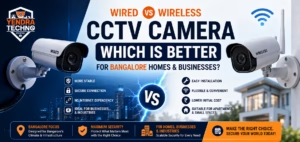
One of the most common questions business owners ask when evaluating an Office CCTV Bangalore solution is whether to choose a wireless or wired CCTV system. Both options provide effective surveillance and remote monitoring capabilities, but the right choice depends on your business environment, budget, and future expansion plans.
For most offices, retail stores, clinics, salons, and coworking spaces in Bangalore, wireless CCTV offers faster deployment and greater flexibility. However, larger facilities with critical security requirements may benefit from the reliability of a wired security system.
Wireless vs Wired CCTV Comparison
| Factor | Wireless CCTV | Wired CCTV |
|---|---|---|
| Installation Speed | Quick installation with minimal cabling and business disruption | Requires cable routing, drilling, and longer installation time |
| Reliability | Dependent on network quality and Wi-Fi coverage | Highly stable connection with minimal signal interference |
| Scalability | Easy to add or relocate security cameras as the business grows | Expansion may require additional cabling and infrastructure |
| Maintenance | Easier troubleshooting and camera relocation | Cable faults can increase maintenance complexity |
| Cost | Lower installation costs but may require stronger network infrastructure | Higher installation costs due to cabling and labor requirements |
Which CCTV System Is Better for Your Business?
| Business Type | Recommended Option | Why |
| Small Offices | Wireless CCTV | Fast deployment and flexible camera placement |
| Startups | Wireless CCTV | Easy scalability as teams grow |
| Clinics | Wireless CCTV | Minimal disruption to daily operations |
| Salons & Retail Shops | Wireless CCTV | Cost-effective surveillance and remote monitoring |
| Warehouses | Wired CCTV | Greater reliability over larger areas |
| Manufacturing Facilities | Wired CCTV | Consistent performance in demanding environments |
Pro Tip for Bangalore Businesses
Many modern Office CCTV Bangalore installations use a hybrid approach. Critical locations such as server rooms, entrances, and storage areas use wired security cameras for maximum reliability, while wireless cameras provide flexible surveillance coverage in offices, meeting rooms, and common areas.
Key Takeaway
If your priority is quick installation, flexibility, remote monitoring, and lower deployment costs, wireless CCTV is usually the best choice. If your business requires uninterrupted surveillance across a large facility with extensive security coverage, a wired CCTV system may provide better long-term reliability.
3.Where Should Office CCTV Cameras Be Installed?
Choosing the right camera locations is just as important as selecting the right security cameras. Even the best Office CCTV Bangalore system will have limited effectiveness if cameras are installed in the wrong places or leave critical areas unmonitored.
A professional surveillance design focuses on identifying entry points, high-value assets, employee activity zones, and areas where security incidents are most likely to occur. The goal is to create complete visibility while avoiding unnecessary camera overlap.
Recommended Office CCTV Camera Placement
| Location | Why It Should Be Monitored | Recommended Camera Type |
|---|---|---|
| Main Entrance & Exit | Tracks visitor movement, deliveries, and unauthorized access | Dome or Bullet Camera |
| Reception Area | Monitors visitor interactions and front desk operations | Dome Camera |
| Cash Counter / Billing Desk | Helps prevent theft, disputes, and cash handling issues | High-Resolution Dome Camera |
| Server Room | Protects critical IT infrastructure and sensitive data | Indoor Dome Camera |
| Inventory / Storage Area | Reduces inventory shrinkage and unauthorized access | Bullet or Dome Camera |
| Parking Area | Monitors vehicles, employee safety, and perimeter activity | Outdoor Bullet Camera |
Entrance and Exit Points
The main entrance is often the most important surveillance location in any office or commercial facility.
A security camera at the entrance helps:
- Record every visitor entering and leaving
- Monitor deliveries and vendors
- Investigate security incidents
- Support access control systems
- Improve workplace security
Pro Tip: Install cameras at face level angles to improve identification quality during incident investigations.
Reception Area
Reception areas experience constant visitor traffic and are often the first point of contact for customers, vendors, and job applicants.
Monitoring the reception area provides:
- Visitor verification
- Employee safety
- Customer service monitoring
- Dispute resolution support
- Improved operational visibility
Many businesses integrate reception surveillance with remote monitoring platforms, allowing managers to view activity from anywhere.
Cash Counter or Billing Desk
If your business handles cash transactions, this area should always be covered by surveillance.
Common examples include:
- Retail stores
- Clinics
- Restaurants
- Salons
- Service centers
Benefits include:
- Theft prevention
- Fraud detection
- Transaction verification
- Customer dispute resolution
Server Room and IT Infrastructure Areas
Server rooms often contain some of the most valuable business assets.
Surveillance helps monitor:
- Unauthorized access attempts
- Equipment handling
- Maintenance activities
- Data center security
For offices with sensitive information, combining CCTV with access control systems creates an additional layer of protection.
Inventory and Storage Areas
Inventory losses can significantly impact business profitability.
Security cameras in storage areas help:
- Monitor stock movement
- Detect unauthorized access
- Reduce internal theft
- Verify inventory handling procedures
This is especially important for retail stores, warehouses, clinics, and restaurants.
Parking Areas
Parking lots are often overlooked during CCTV planning, yet they are common locations for security incidents.
Outdoor surveillance cameras can help:
- Monitor vehicle movement
- Improve employee safety
- Investigate accidents
- Protect company vehicles
- Secure building perimeters
For Bangalore businesses operating late hours, parking area monitoring is often considered essential.
Example Camera Layout by Business Type
| Business Type | Typical Camera Locations |
| Small Office | Entrance, Reception, Workspace, Server Room |
| Clinic | Entrance, Reception, Waiting Area, Pharmacy |
| Retail Shop | Entrance, Cash Counter, Product Displays, Stock Room |
| Restaurant | Entrance, Billing Counter, Dining Area, Storage Room |
| Salon | Entrance, Reception, Billing Desk, Product Storage |
| Coworking Space | Entrance, Reception, Common Areas, Meeting Rooms |
Quick Placement Checklist
Before installing your Office CCTV Bangalore system, ensure cameras cover:
✅ Main entrances and exits
✅ Reception or visitor management areas
✅ Cash handling locations
✅ Server rooms and IT assets
✅ Inventory or storage areas
✅ Parking and external access points
✅ High-risk operational zones
Key Takeaway
The most effective surveillance systems focus on strategic placement rather than simply increasing the number of cameras. For most businesses, covering entrances, reception areas, cash counters, server rooms, inventory areas, and parking zones provides the strongest balance of security, monitoring, and operational visibility.
4. Wireless Office CCTV Installation Cost in Bangalore
One of the first questions business owners ask when evaluating an Office CCTV Bangalore solution is: “How much will it cost?”
The answer depends on several factors, including the number of security cameras, image resolution, storage requirements, video analytics features, remote monitoring capabilities, and the complexity of installation.
Rather than focusing only on camera prices, it is important to consider the complete surveillance system, including recording devices, network infrastructure, storage, mobile access, installation, and ongoing support.
What Influences Office CCTV Bangalore Installation Cost?
| Cost Factor | Impact on Budget |
| Number of Cameras | More cameras increase equipment and installation costs |
| Camera Resolution | Higher-resolution security cameras generally cost more |
| Indoor vs Outdoor Cameras | Outdoor models require weather-resistant protection |
| Storage Requirements | Longer video retention requires larger storage capacity |
| AI Video Analytics | Features such as intrusion detection and people counting may increase costs |
| Remote Monitoring Features | Cloud access and mobile monitoring can affect pricing |
| Network Infrastructure | Wi-Fi upgrades may be needed for wireless surveillance systems |
| Access Control Integration | Combining CCTV with access control systems increases project scope |
Typical Camera Requirements by Business Size
| Business Type | Typical Monitoring Areas | Recommended Camera Count | Notes |
|---|---|---|---|
| Small Office (10–30 Employees) | Entrance, Reception, Workspaces, Server Room | 4–8 Cameras | Most common Office CCTV Bangalore installation category for startups, service companies, and professional offices. |
| Clinic or Medical Practice | Reception Desk, Waiting Area, Pharmacy, Entry & Exit Points | 4–10 Cameras | Larger clinics and healthcare facilities may require additional surveillance coverage. |
| Retail Shop | Store Entrance, Cash Counter, Product Displays, Inventory Storage | 4–12 Cameras | Often benefits from video analytics, customer activity monitoring, and theft prevention features. |
| Restaurant or Café | Entrance, Billing Counter, Dining Area, Kitchen Access Points, Storage Rooms | 6–16 Cameras | Multi-location restaurants frequently prioritize remote monitoring and operational visibility. |
| Coworking Space | Main Entrance, Reception, Shared Workspaces, Meeting Rooms, Parking Areas | 8–24 Cameras | Commonly integrated with access control systems and visitor management platforms. |
Quick Planning Guide
| Business Size | Typical CCTV Requirement |
|---|---|
| Small Business (<1,500 sq. ft.) | 4–8 Cameras |
| Medium Business (1,500–5,000 sq. ft.) | 8–16 Cameras |
| Large Office or Coworking Facility | 16–24+ Cameras |
| Multi-Floor Commercial Facility | Site Survey Recommended |
Pro Tip: Camera count should be based on coverage requirements, risk areas, and operational needs—not just office size. A professional site survey helps determine the optimal surveillance layout while avoiding unnecessary equipment costs.
5. Mistakes Businesses Make When Installing Wireless CCTV
Investing in a CCTV system is an important security decision, but many businesses make costly mistakes that reduce the effectiveness of their surveillance system. Whether you are installing CCTV for a small office, clinic, retail shop, or coworking space, avoiding these common errors can improve security, monitoring quality, and long-term reliability.
When evaluating an Office CCTV Bangalore solution, focus on system design and business requirements rather than simply purchasing cameras.
Common Wireless CCTV Installation Mistakes
| Mistake | Why It’s a Problem | Better Approach |
|---|---|---|
| Choosing Residential Cameras | Consumer-grade cameras may not handle commercial monitoring requirements | Use business-grade security cameras designed for continuous operation |
| Weak Wi-Fi Coverage | Causes video interruptions, poor image quality, and connectivity issues | Conduct a network assessment before installation |
| Poor Camera Positioning | Creates blind spots and missed incidents | Design surveillance coverage based on business risks |
| No Storage Planning | Important footage may be overwritten too quickly | Determine retention requirements before deployment |
| Ignoring Remote Monitoring | Delays incident response and reduces visibility | Enable secure remote monitoring for owners and managers |
Choosing Residential Cameras for Commercial Use
One of the most common mistakes is purchasing cameras designed for homes rather than businesses.
Commercial environments typically require:
- Higher reliability
- Longer operating hours
- Better image quality
- Larger storage capacity
- Advanced video analytics
Business-grade surveillance systems are built to support continuous monitoring and future expansion.
Weak Wi-Fi Coverage
Wireless CCTV relies on a stable network connection.
If Wi-Fi coverage is poor, businesses may experience:
- Camera disconnects
- Delayed video streams
- Lost recordings
- Reduced surveillance effectiveness
Pro Tip: Always perform a wireless signal assessment before installing cameras, especially in larger offices and multi-floor facilities.
Poor Camera Positioning
Even high-end security cameras can be ineffective when installed incorrectly.
Common placement mistakes include:
❌ Cameras facing bright windows
❌ Blind spots near entrances
❌ Limited coverage of high-risk areas
❌ Incorrect camera height
A professional site survey helps identify the best camera locations for complete surveillance coverage.
No Storage Planning
Many businesses focus on camera count but overlook storage requirements.
Questions to consider:
- How many days of recording are required?
- Will footage be stored locally or in the cloud?
- Are compliance requirements involved?
- Will video analytics increase storage needs?
Without proper planning, critical footage may not be available when needed.
Ignoring Remote Monitoring
Modern businesses increasingly rely on remote monitoring to oversee operations from anywhere.
Benefits include:
- Real-time alerts
- Incident verification
- Multi-location monitoring
- Improved management visibility
- Faster response to security events
For many businesses evaluating Office CCTV Bangalore services, remote monitoring has become a core requirement rather than an optional feature.
Quick Checklist Before Installation
✓ Conduct a site survey
✓ Verify Wi-Fi coverage
✓ Choose commercial-grade security cameras
✓ Plan storage requirements
✓ Enable remote monitoring
✓ Design surveillance coverage strategically
✓ Consider future expansion
Key Takeaway
Most CCTV problems are caused by poor planning rather than poor equipment. A properly designed surveillance system with reliable connectivity, appropriate storage, strategic camera placement, and remote monitoring capabilities will deliver significantly better long-term results.
6.Why Businesses Choose Yendra for CCTV Installation in Bangalore
Selecting the right CCTV partner is just as important as choosing the right cameras. At Yendra, every surveillance project begins with understanding the client’s business operations, security risks, and future growth plans.
Whether you need an Office CCTV Bangalore solution for a startup, clinic, retail store, restaurant, warehouse, or coworking space, the goal is to deliver a security system that is reliable, scalable, and easy to manage.
What Makes Yendra Different?
| Service | Benefit to Your Business |
|---|---|
| Site Survey & Security Assessment | Identifies security risks and optimal camera placement |
| Professional Installation | Ensures reliable performance and complete coverage |
| Custom System Design | CCTV solutions tailored to your business requirements |
| AMC & Maintenance Support | Ongoing system health, troubleshooting, and updates |
| AI Surveillance Solutions | Advanced video analytics and intelligent alerts |
| Local Bangalore Support | Faster response times and on-site assistance |
Professional Site Survey Before Installation
Every business has different security requirements.
A site survey helps determine:
- Camera locations
- Coverage requirements
- Network readiness
- Storage requirements
- Future expansion needs
This ensures the surveillance system is designed around actual business risks rather than guesswork.
Custom CCTV System Design
No two businesses operate in the same way.
Yendra designs CCTV systems based on:
- Business type
- Facility size
- Operational workflow
- Security priorities
- Budget requirements
This approach helps avoid both under-protection and unnecessary spending.
Professional Installation
Proper installation directly impacts surveillance effectiveness.
Professional deployment includes:
- Strategic camera positioning
- Network optimization
- Recording configuration
- Remote monitoring setup
- Performance testing
The result is a security system that delivers reliable coverage from day one.
AMC and Ongoing Support
CCTV systems require periodic maintenance to maintain peak performance.
Yendra’s AMC support can include:
- System health checks
- Camera cleaning
- Firmware updates
- Storage verification
- Troubleshooting assistance
Regular maintenance helps maximize system lifespan and reduce downtime.
AI-Powered Surveillance Solutions
Modern businesses increasingly require more than basic video recording.
AI surveillance features may include:
- Human detection
- Intrusion alerts
- Motion analytics
- Vehicle detection
- People counting
- Smart search capabilities
These features help businesses transform surveillance footage into actionable security insights.
Local Bangalore Support
Working with a local provider offers practical advantages.
Benefits include:
- Faster site visits
- Quicker issue resolution
- Better understanding of local business environments
- Easier project coordination
- Ongoing relationship and support
For businesses seeking an Office CCTV Bangalore partner, local expertise can significantly improve implementation and after-sales service.
Why Businesses Partner with Yendra
✓ Security-focused site surveys
✓ Professional installation team
✓ Custom-designed surveillance systems
✓ Remote monitoring configuration
✓ AI-enabled security options
✓ AMC and maintenance support
✓ Responsive Bangalore-based assistance
Get Started
The best CCTV solution starts with understanding your business requirements. A professional site survey can help determine the ideal camera count, placement strategy, storage requirements, and monitoring features needed to protect your office or business premises.
7.Wireless CCTV Installation Across Bangalore
Yendra provides Office CCTV Bangalore installation services for businesses across Bangalore’s major commercial and business districts. Whether you operate a startup, corporate office, clinic, retail outlet, restaurant, warehouse, or coworking space, our team can design and deploy a surveillance system tailored to your operational and security requirements.
Areas We Serve
| Area | Common Business Types |
|---|---|
| Whitefield | IT Parks, Startups, Corporate Offices, Clinics |
| Electronic City | Technology Companies, Manufacturing Units, Offices |
| Sarjapur Road | Startups, Educational Institutions, Retail Businesses |
| Marathahalli | Offices, Retail Stores, Service Centers |
| HSR Layout | Startups, Clinics, Restaurants, Coworking Spaces |
| Koramangala | Tech Companies, Shared Offices, Retail Businesses |
| Hebbal | Corporate Offices, Warehouses, Commercial Facilities |
| Yelahanka | Educational Institutions, Manufacturing Units, Offices |
Local CCTV Services Available
Our Bangalore CCTV services include:
✓ Wireless CCTV installation
✓ Office surveillance systems
✓ AI-powered video analytics
✓ Remote monitoring setup
✓ CCTV upgrades and expansions
✓ AMC and maintenance support
✓ Access control integration
✓ Site surveys and security assessments
Why Local Support Matters
Choosing a Bangalore-based CCTV provider offers several advantages:
- Faster site surveys
- Quicker installation scheduling
- Rapid support response
- Easier maintenance visits
- Better understanding of local business security requirements
Whether your business is located in Whitefield, Electronic City, HSR Layout, Koramangala, Hebbal, Yelahanka, Sarjapur Road, or Marathahalli, Yendra can help design the right Office CCTV Bangalore solution for your facility.
8. FAQs
Yes. Most wireless CCTV systems can continue recording locally even when internet connectivity is unavailable. However, remote monitoring and mobile viewing may not work until the connection is restored.
Yes. Modern business-grade CCTV systems use encrypted communication, password protection, user permissions, and secure mobile applications to protect surveillance footage and system
Storage duration depends on the number of cameras, recording quality, storage capacity, and recording settings. Most businesses retain footage for 15 to 90 days.
Yes. Most modern Office CCTV Bangalore installations include mobile applications that allow business owners to access live and recorded footage from anywhere.
If the CCTV system is connected to a UPS or backup power solution, recording can continue during short-term power outages. Backup duration depends on the power capacity available.
Yes. Wireless CCTV is commonly used in clinics to monitor reception areas, waiting rooms, pharmacies, entrances, and operational zones while maintaining patient privacy requirements.
Most small offices require between 4 and 8 security cameras depending on floor layout, entry points, and monitoring requirements.
Yes. Remote monitoring platforms allow business owners to manage and monitor multiple locations through a single application or dashboard.
Yes. Many commercial surveillance systems can integrate with access control, biometric attendance systems, visitor management platforms, and alarm systems.
A professional site survey helps identify security risks, blind spots, high-value assets, and critical monitoring areas to determine optimal camera placement.
Wireless CCTV refers to systems that transmit video without extensive cabling. Wi-Fi CCTV is a type of wireless CCTV that specifically uses a Wi-Fi network for communication.
Yes. Many modern systems support AI-powered video analytics such as human detection, intrusion alerts, vehicle detection, people counting, and intelligent search functions.
9. What is Your Next Step?
Get a Free CCTV Site Assessment
Choosing the right CCTV system starts with understanding your business’s unique security requirements. Whether you need surveillance for a small office, clinic, retail shop, restaurant, coworking space, or multi-location business, a professional assessment helps ensure you invest in the right solution.
What You’ll Receive
✓ Free security consultation
✓ On-site CCTV survey
✓ Camera placement recommendations
✓ Wireless vs wired system evaluation
✓ Storage and remote monitoring recommendations
✓ AI surveillance options assessment
✓ Customized CCTV proposal
Why Schedule a Site Assessment?
Every business has different security risks, layouts, and operational requirements. A site survey helps determine:
- How many cameras you need
- The best camera locations
- Storage requirements
- Network readiness
- Future expansion possibilities
- Budget recommendations
Rather than guessing, you’ll receive a practical surveillance plan designed specifically for your business.
10. Conclusion
After evaluating hundreds of commercial surveillance requirements, one thing becomes clear: the best CCTV system is not necessarily the one with the most cameras or the lowest price. The right solution is the one that provides complete coverage of your business risks while remaining reliable, scalable, and easy to manage.
For most offices, clinics, retail stores, restaurants, and coworking spaces in Bangalore, wireless CCTV has become the preferred choice because it offers:
Faster installation
Remote monitoring from anywhere
Easier expansion as businesses grow
AI-powered security features
Lower infrastructure requirements
However, many businesses make the mistake of purchasing cameras first and planning later. This often results in blind spots, poor video quality, inadequate storage, weak network performance, and unnecessary costs.
Yendra’s Buyer Recommendation
Before purchasing any CCTV system, answer these five questions:
What areas need surveillance coverage?
How many days of footage should be stored?
Do you require remote monitoring?
Will the business expand in the next 1–3 years?
Do you need AI surveillance or access control integration?
If you cannot confidently answer these questions, schedule a professional site survey before making a purchase decision.
Best CCTV Setup by Business Type
| Business Type | Recommended Setup |
|---|---|
| Small Office | 4–8 Wireless CCTV Cameras |
| Clinic | 4–10 Wireless CCTV Cameras |
| Retail Shop | 4–12 Cameras with Video Analytics |
| Restaurant | 6–16 Cameras with Remote Monitoring |
| Coworking Space | 8–24 Cameras with Access Control Integration |
.
11. Final Insight
The businesses that achieve the best security outcomes rarely choose CCTV based on camera specifications alone. They invest in proper surveillance design, strategic camera placement, reliable recording systems, and ongoing support.
If your goal is long-term business security rather than simply installing cameras, prioritize:
✓ Professional site assessment
✓ Coverage planning
✓ Commercial-grade equipment
✓ Remote monitoring capabilities
✓ Scalable system design
✓ Reliable local support
For most businesses seeking an Office CCTV Bangalore solution, a professionally designed wireless CCTV system provides the best balance of security, flexibility, operational visibility, and return on investment.
The most effective surveillance system is the one that protects your business today while remaining ready for tomorrow’s growth
Request Your Free Consultation
If you’re considering an Office CCTV Bangalore solution, speak with a Yendra security specialist today.
Contact Yendra
- Call for a Free Consultation
- Request a CCTV Assessment
- Bangalore-Based Installation & Support Team
- WhatsApp Us for a Quick Site Survey and CCTV Recommendation
Next Step
Book a free site assessment and receive a customized CCTV system recommendation based on your business size, security requirements, and budget.
Related Posts, News & Articles